Integrating Shopify with Omnix lets you automate marketing, sync customer data, and drive more sales. This guide shows you the integration process step by step.
Integrating Shopify with a Omnix sub-account is a 2 step process:
1. Create a Custom App in your Shopify Store
2. Connect Shopify to your Account
Step-1: Create a Custom App in your Shopify Store
Before we setup integration we need to create a custom app in your Shopify store.
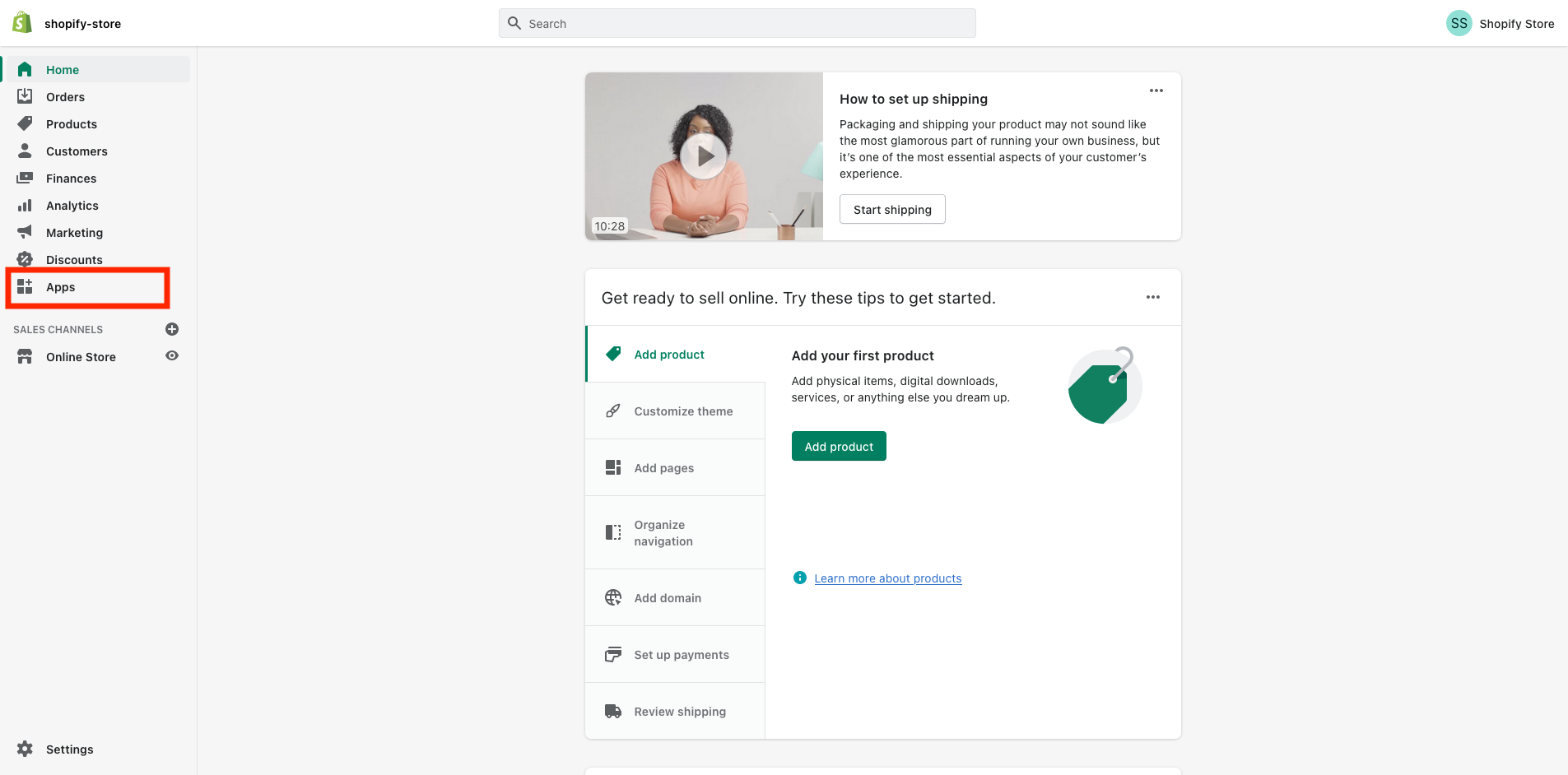
1.1 Login to your Shopify store and click on "Apps" in your dashboard
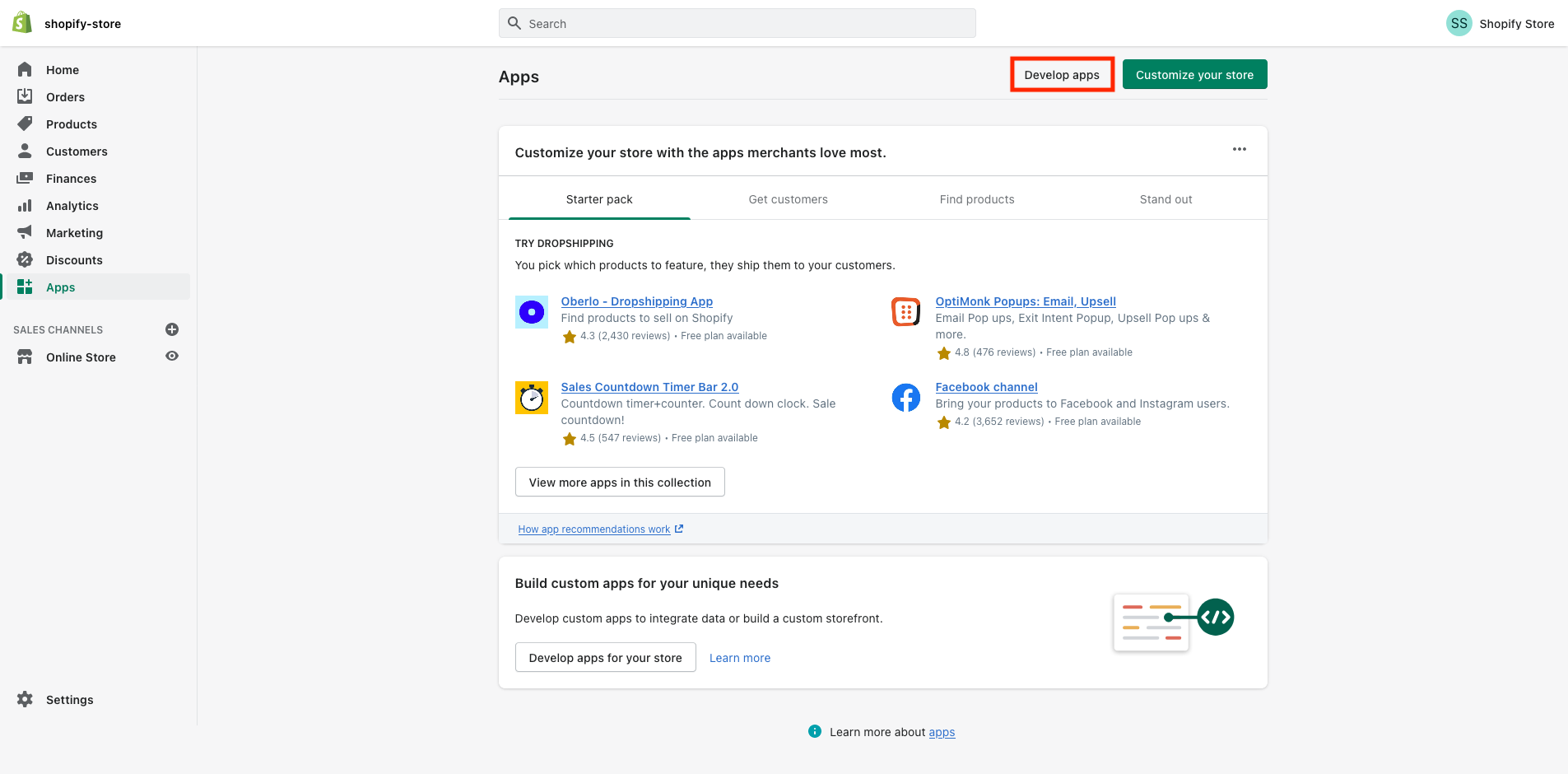
1.2 Then, click on "Develop apps" on the top of the screen highlighted in the below picture
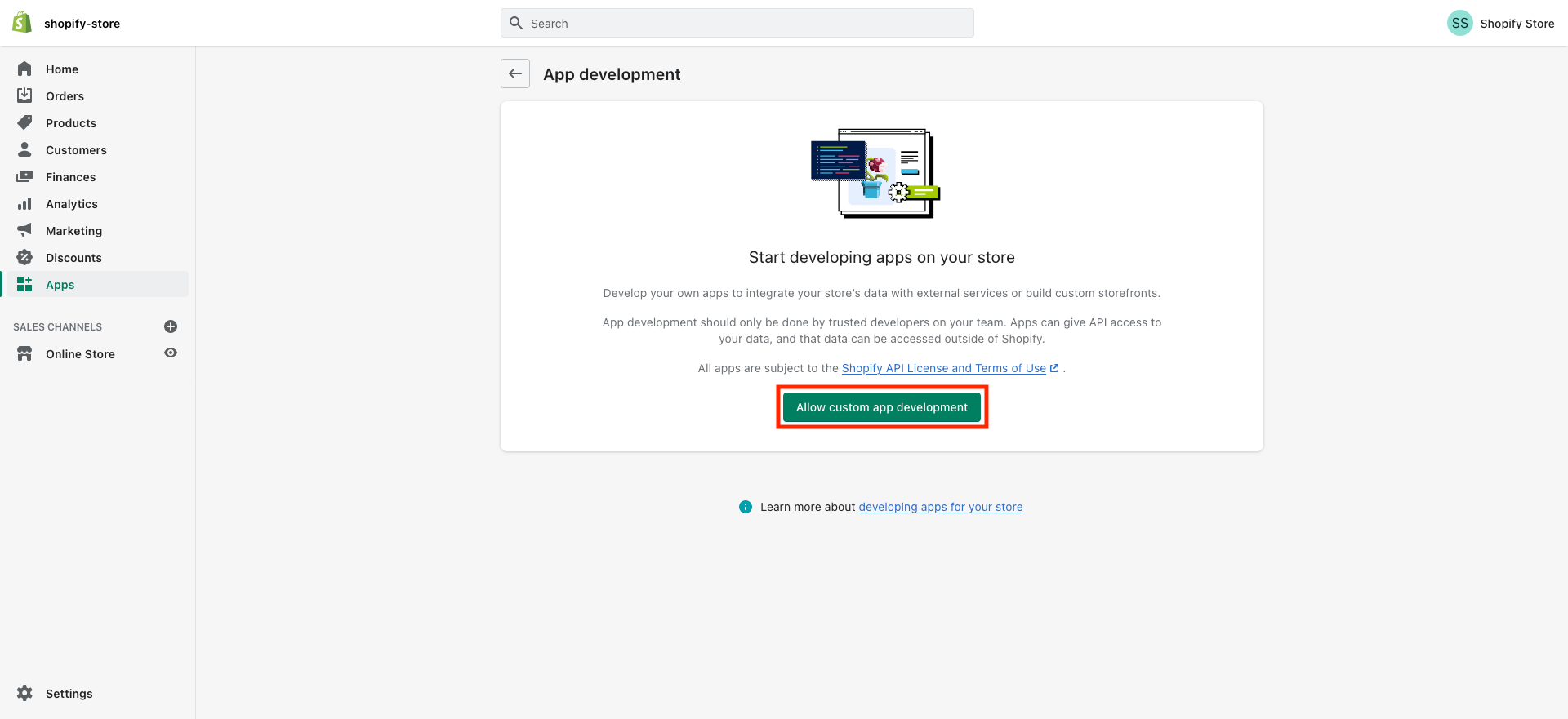
1.3 Then, click on "Allow custom app development" (if you have already enabled this permission then Shopify
will take you to Step-1.5)
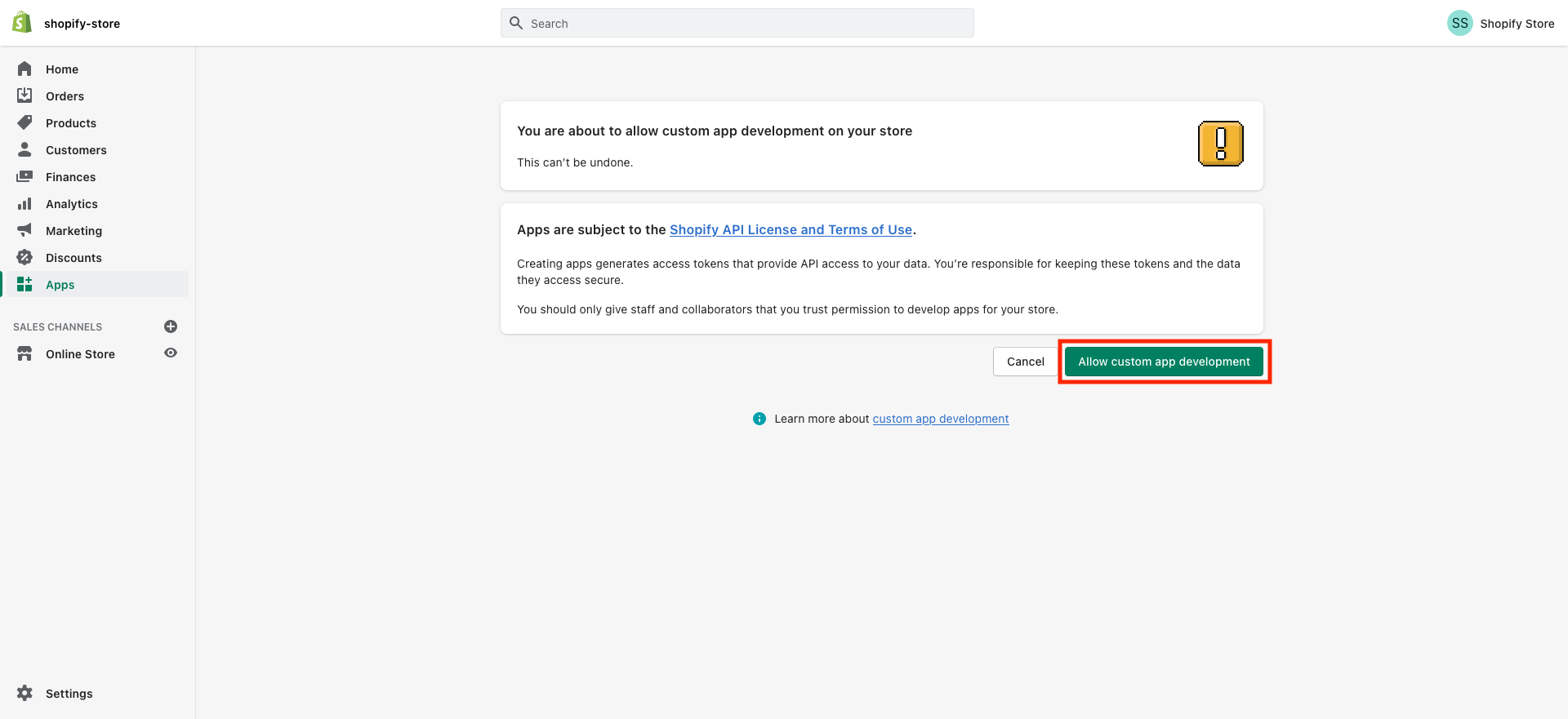
1.4 In the next screen, click on "Allow custom app development"
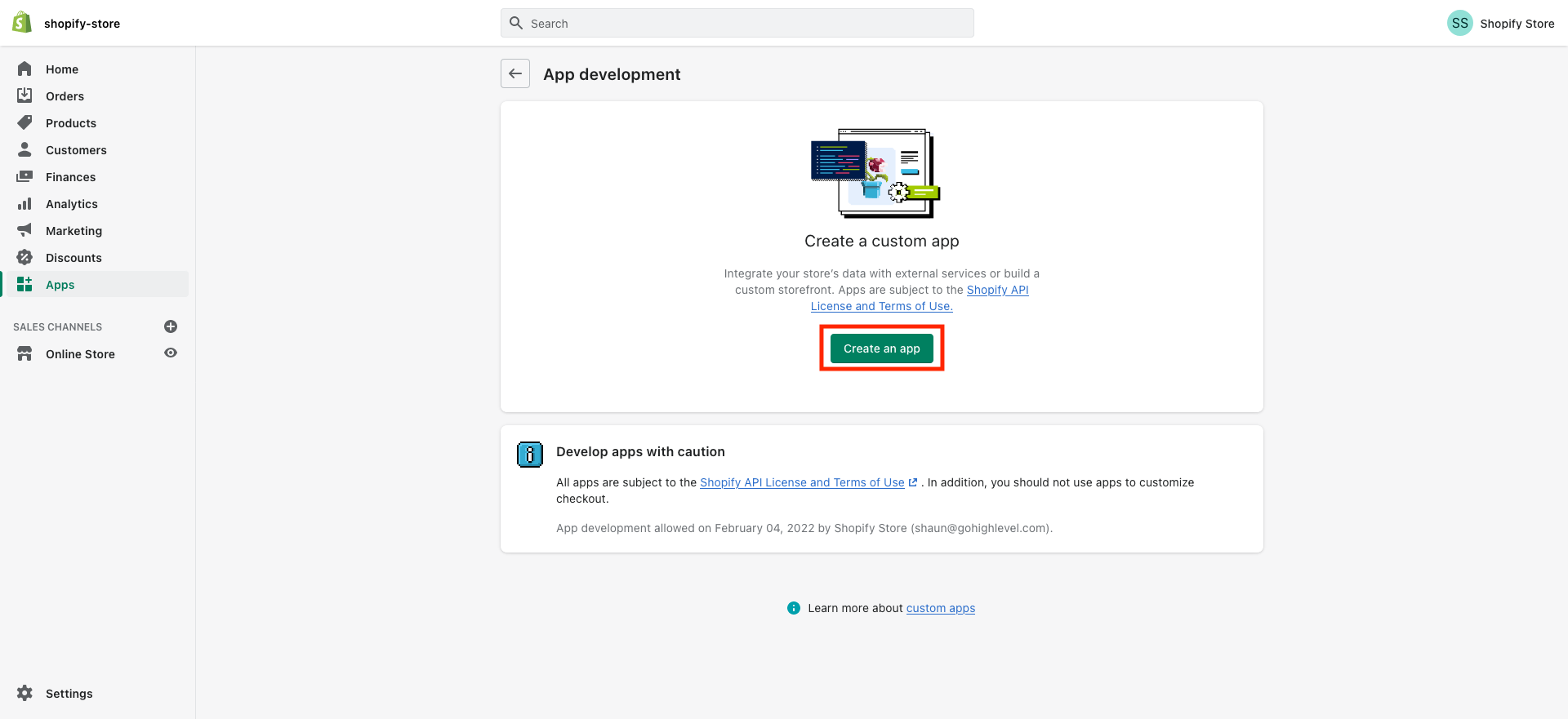
1.5 Then, click on "Create an app"
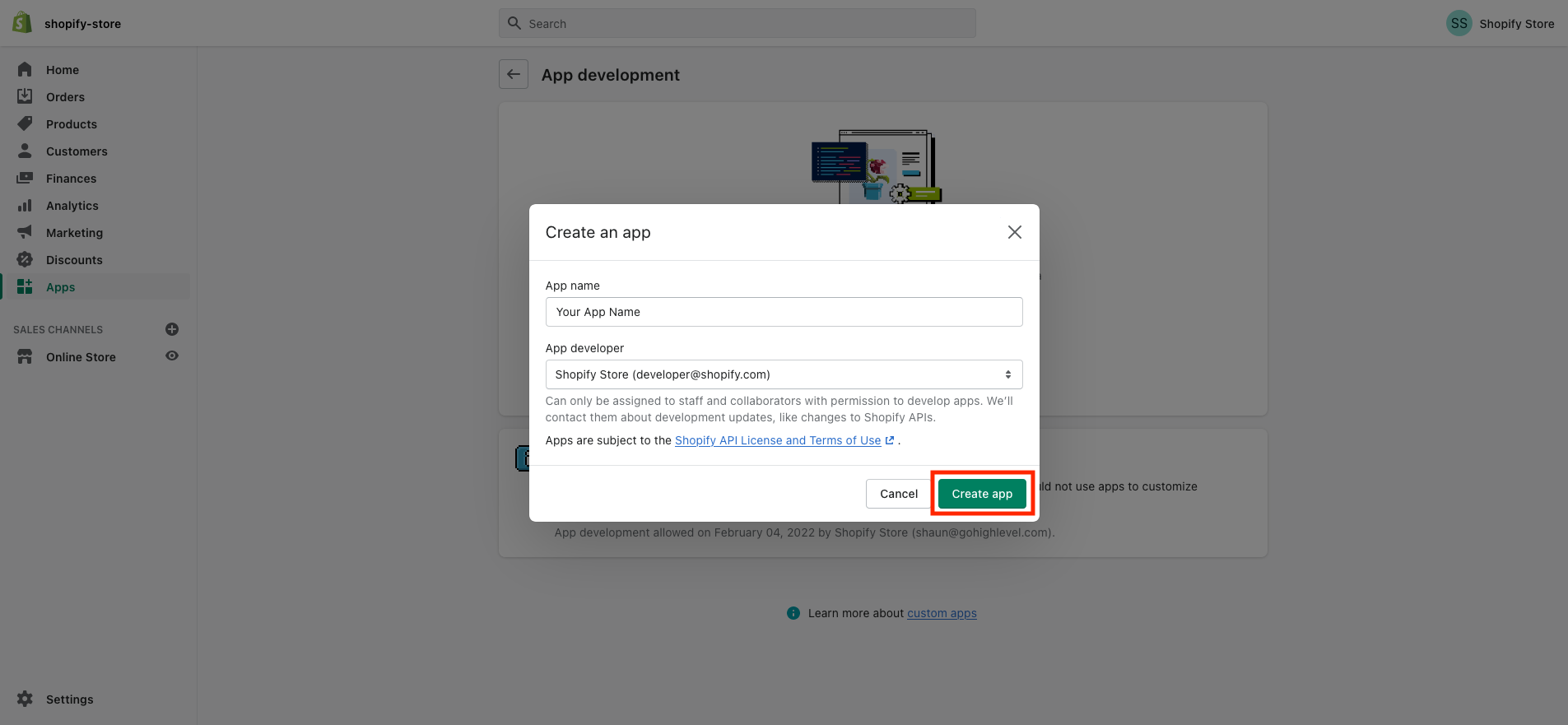
1.6 Enter a name for the app (for example "Marvel's App"), select your email under App developer
and click on "Create app"
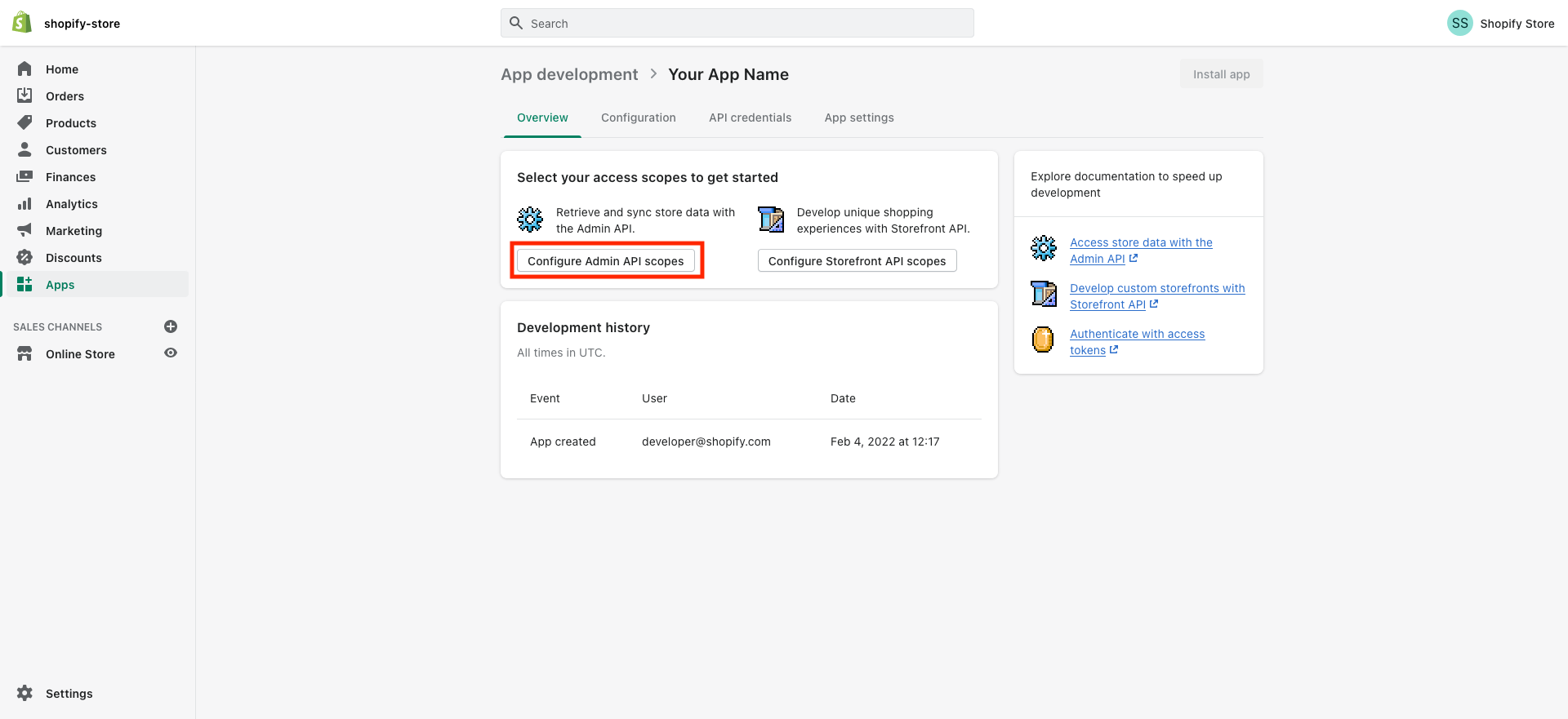
1.7 Then, click on "Configure Admin API scopes" to configure Admin API integration
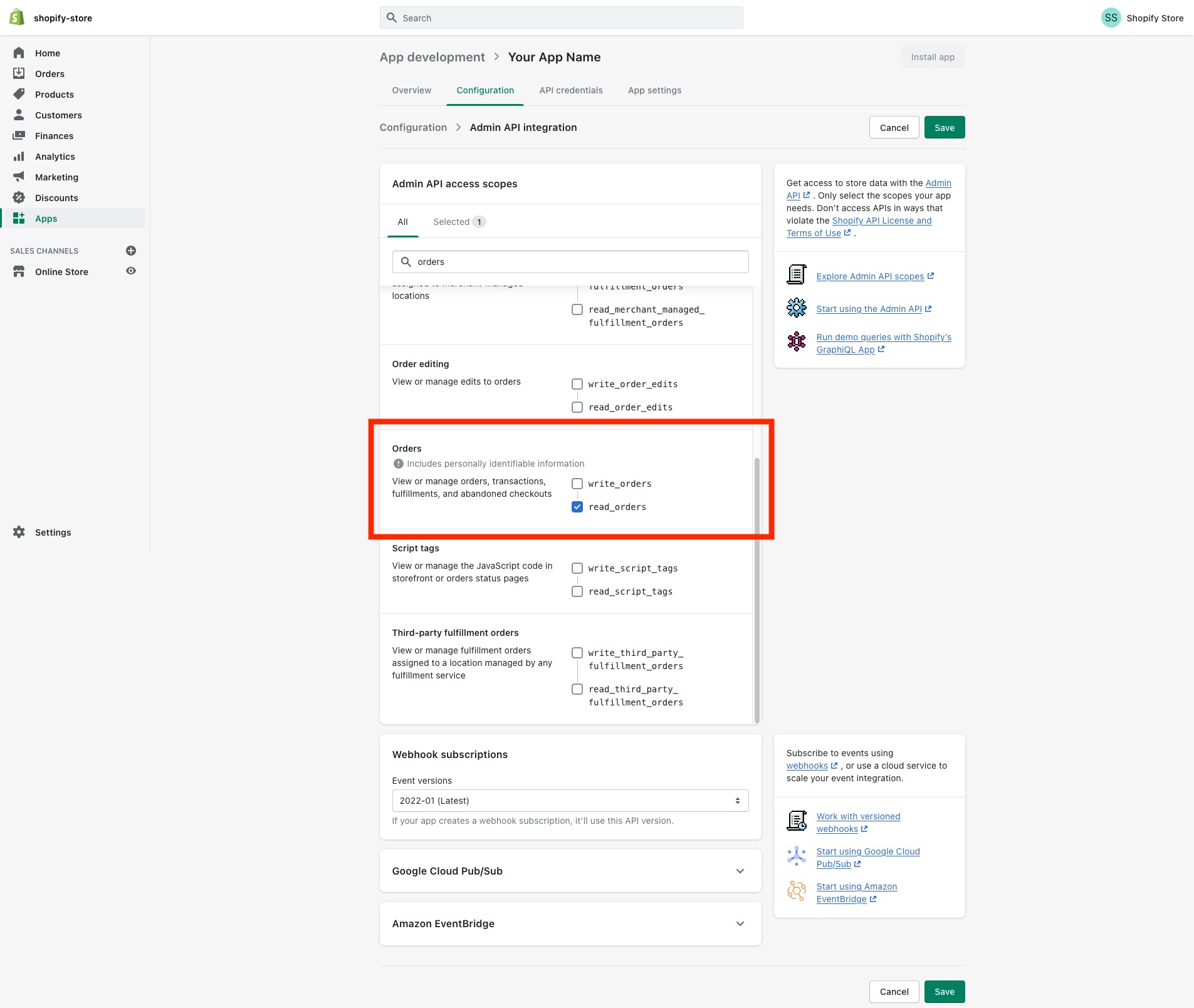
1.8 Search/scroll down to the "Orders" and You will need to enable at the very
least "read_orders" access
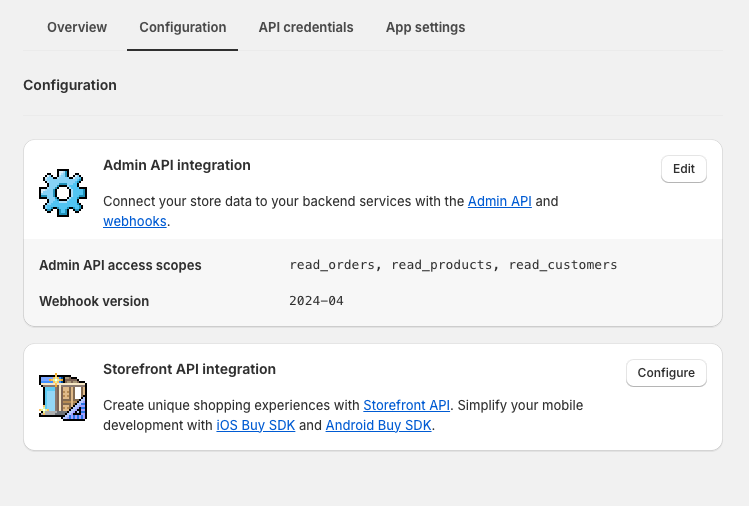
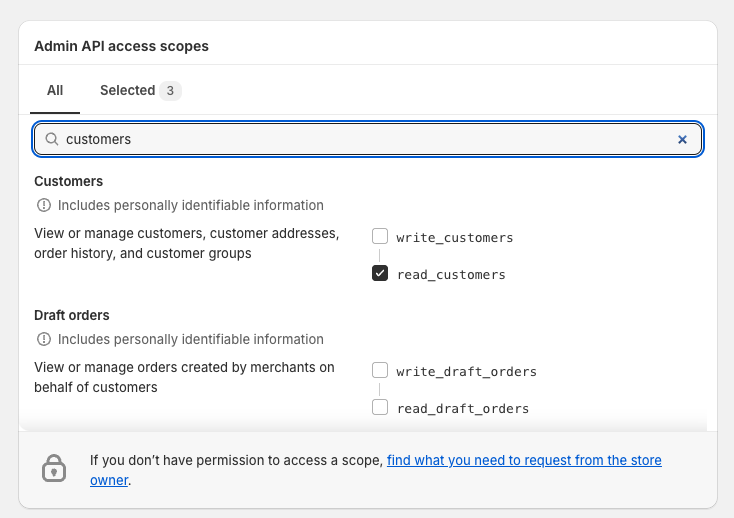
1.9 Add the "read_customers" scope. In configuration edit the "Admin API Integrations". In this section under
customers, select the "read_customers" tick box.
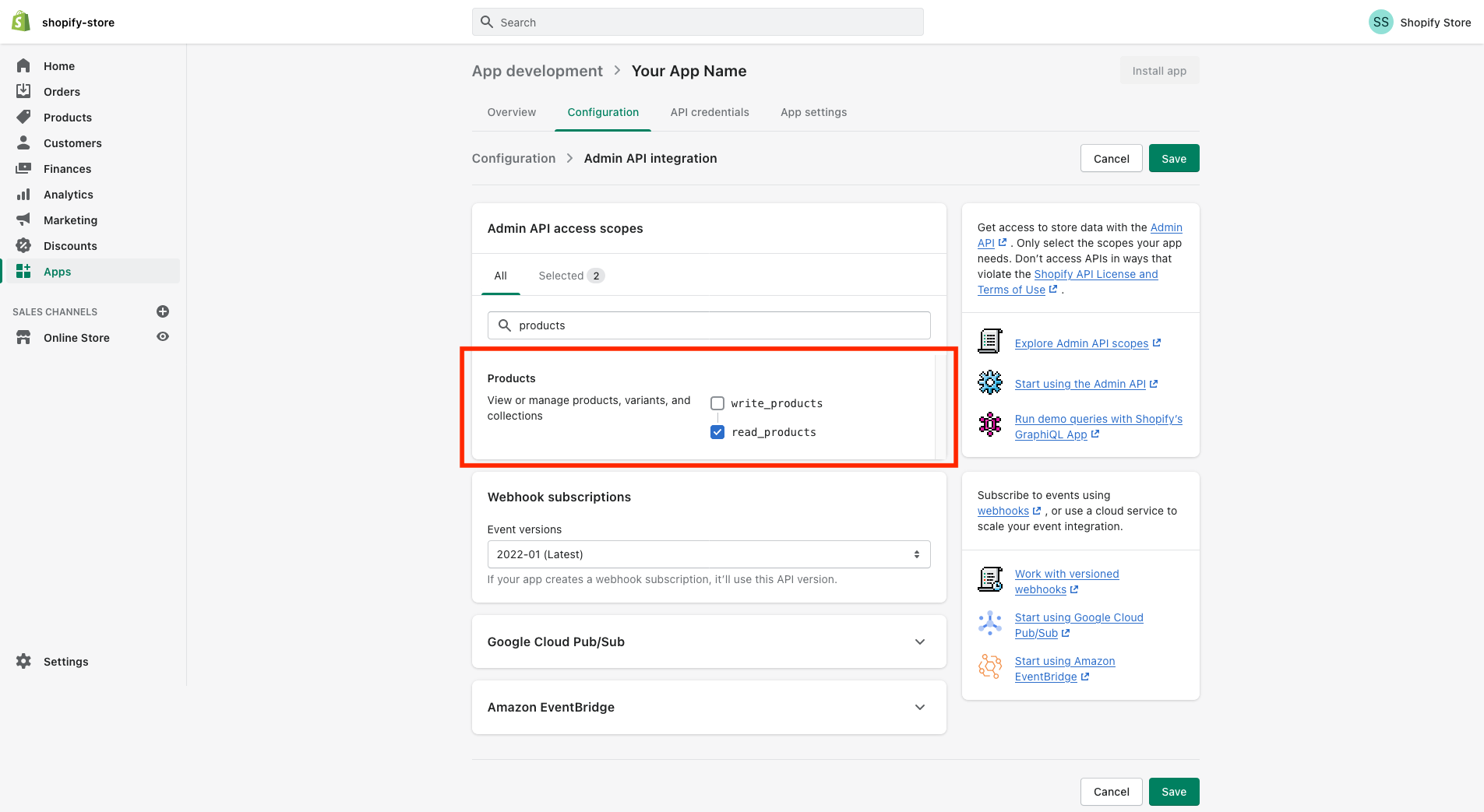
1.10 Then, Search/scroll down to the "Products" and You will need to enable at the very
least "read_products" access
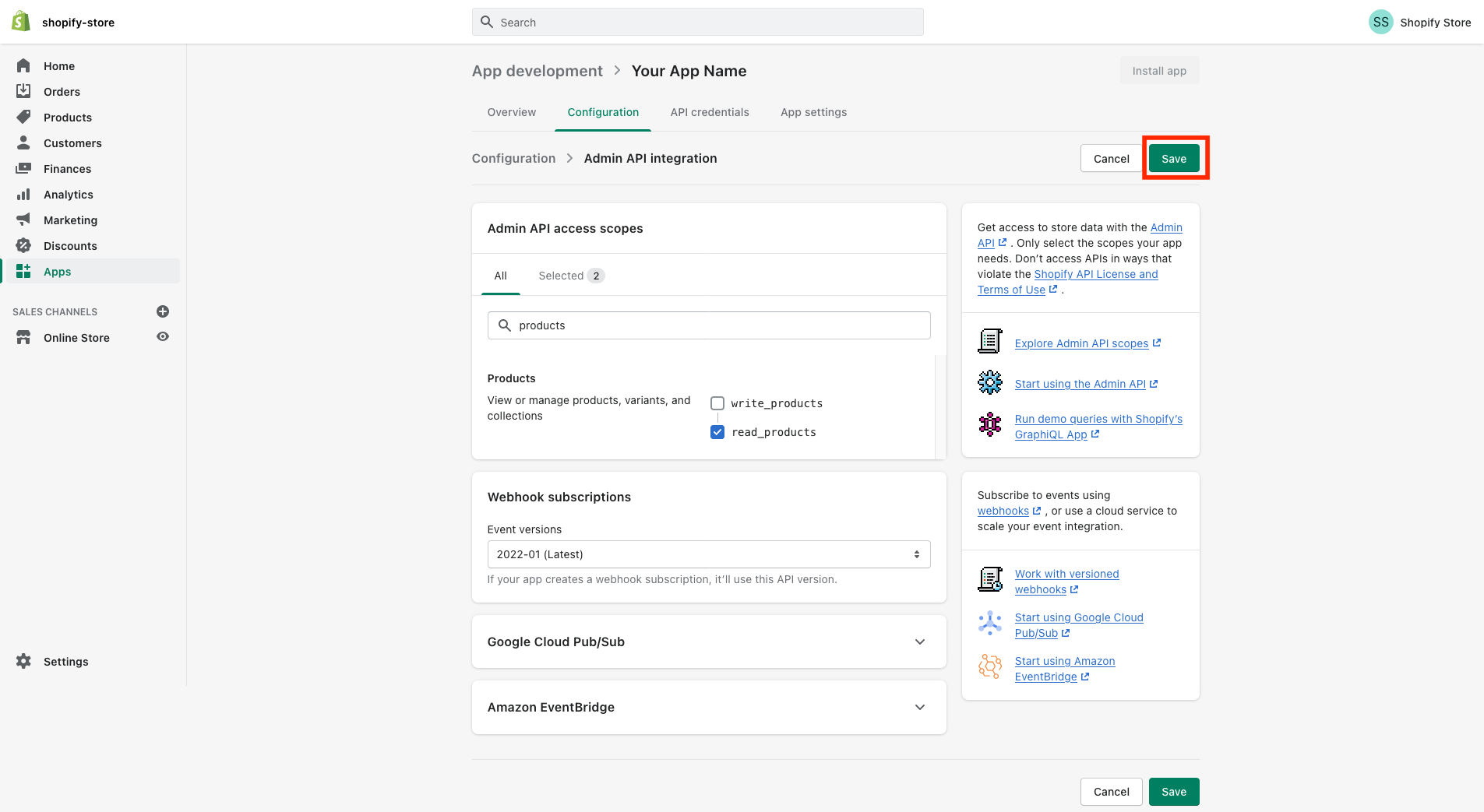
1.11 Once you've enabled read access on "Orders and Product", save the app by clicking on the
"Save" button on the top right
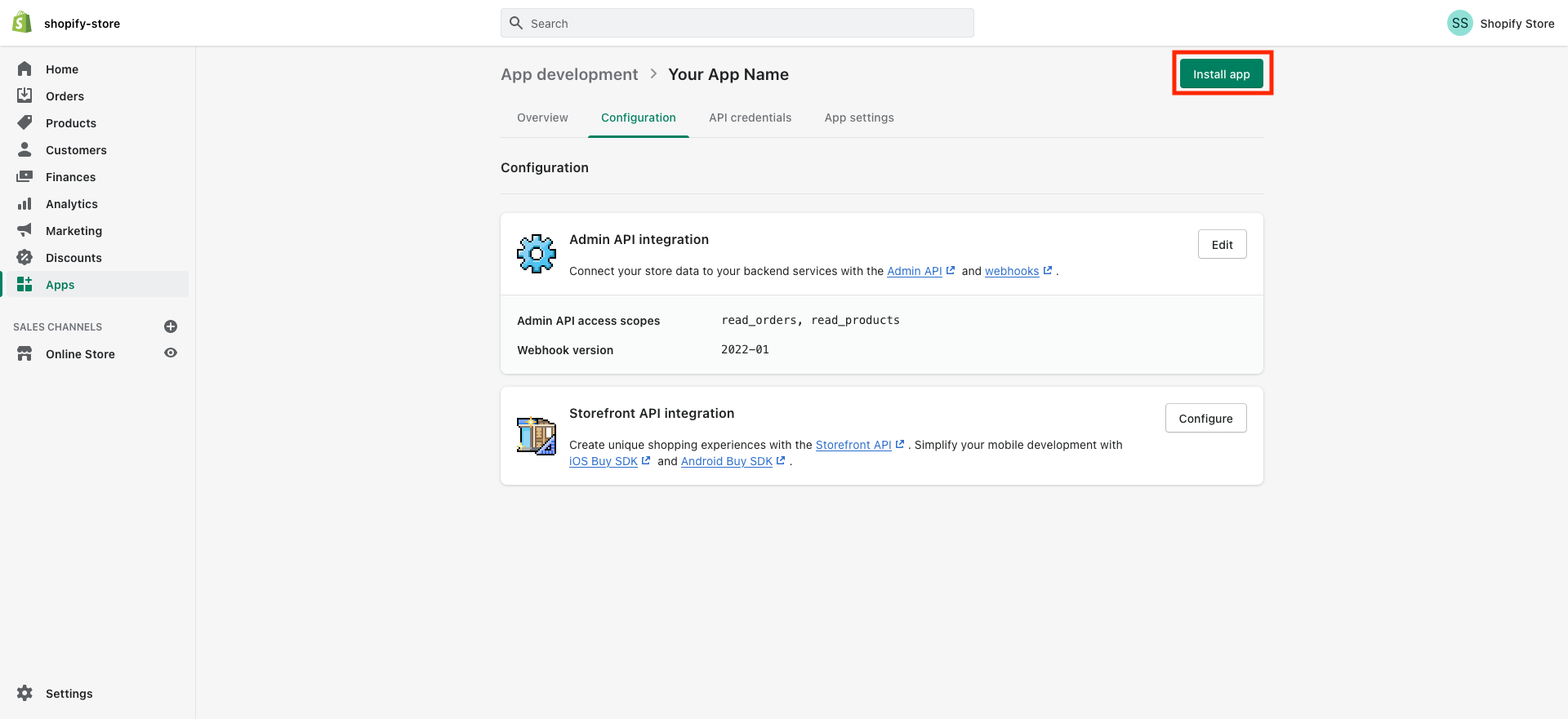
1.12 After saving click on the "Install app" as in the image below
1.13 Then, click on "Install" from the pop up as in the image below
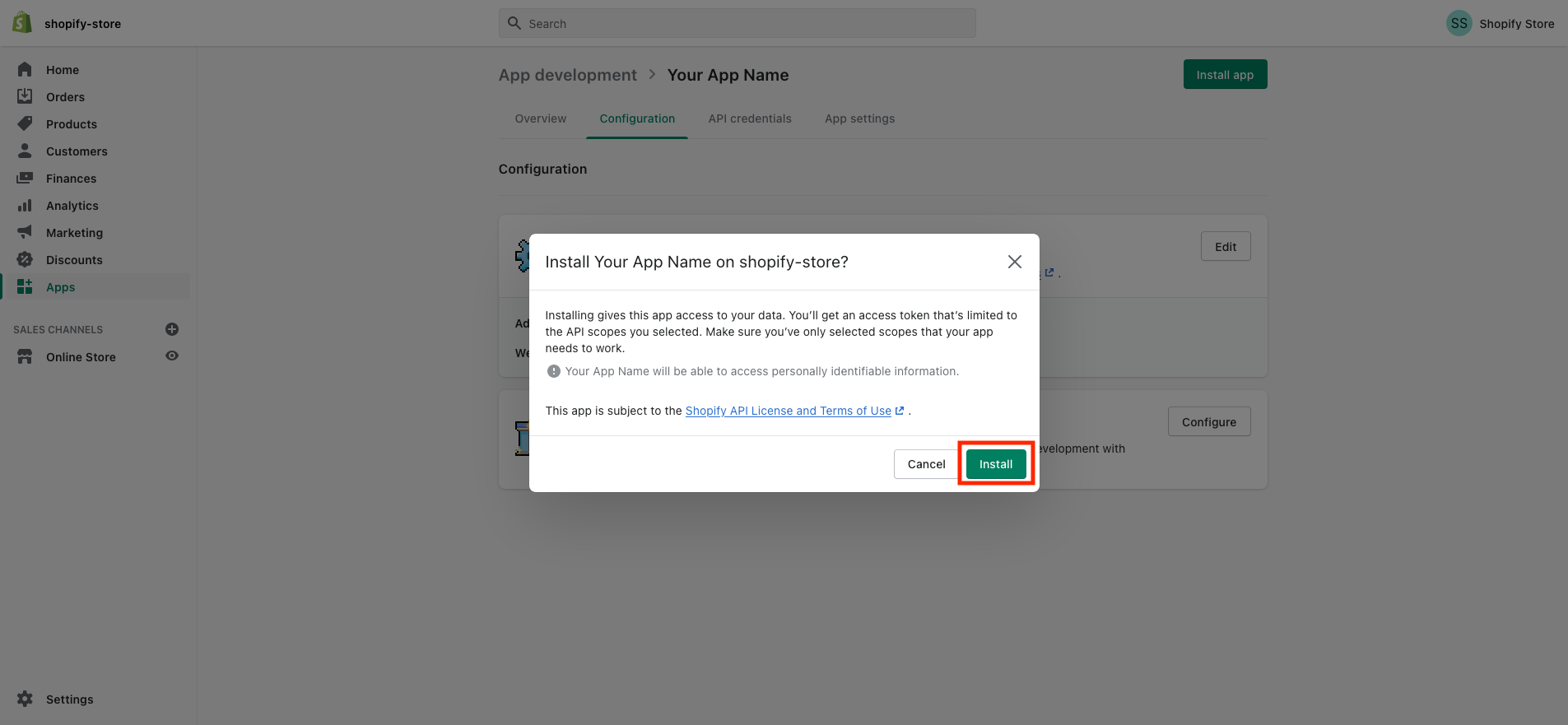
and voilà your App is ready to be integrated now!
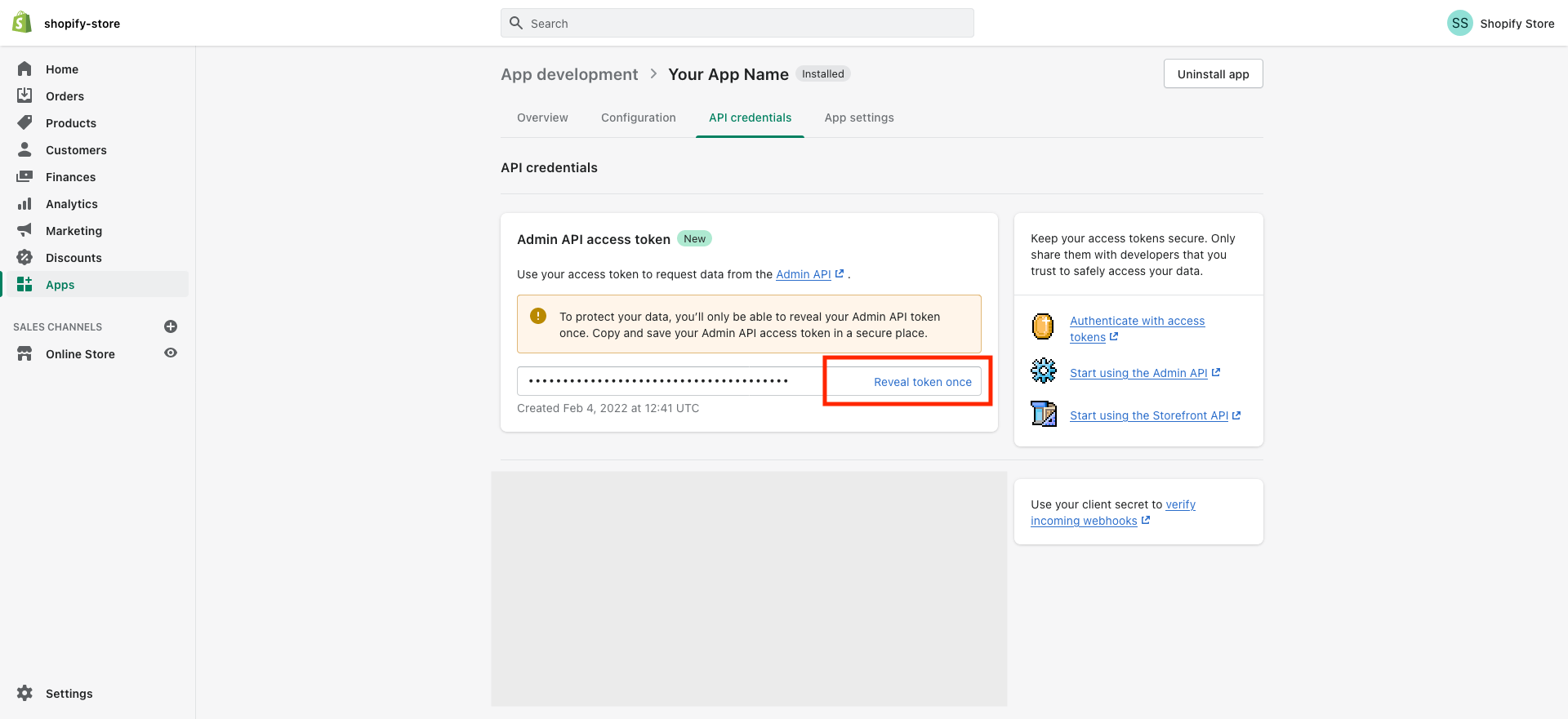
1.14 After installing, the "Admin API access token" that you need for the Shopify integration can
be found under the API credentials section, click on "Reveal token once" to get access to the token
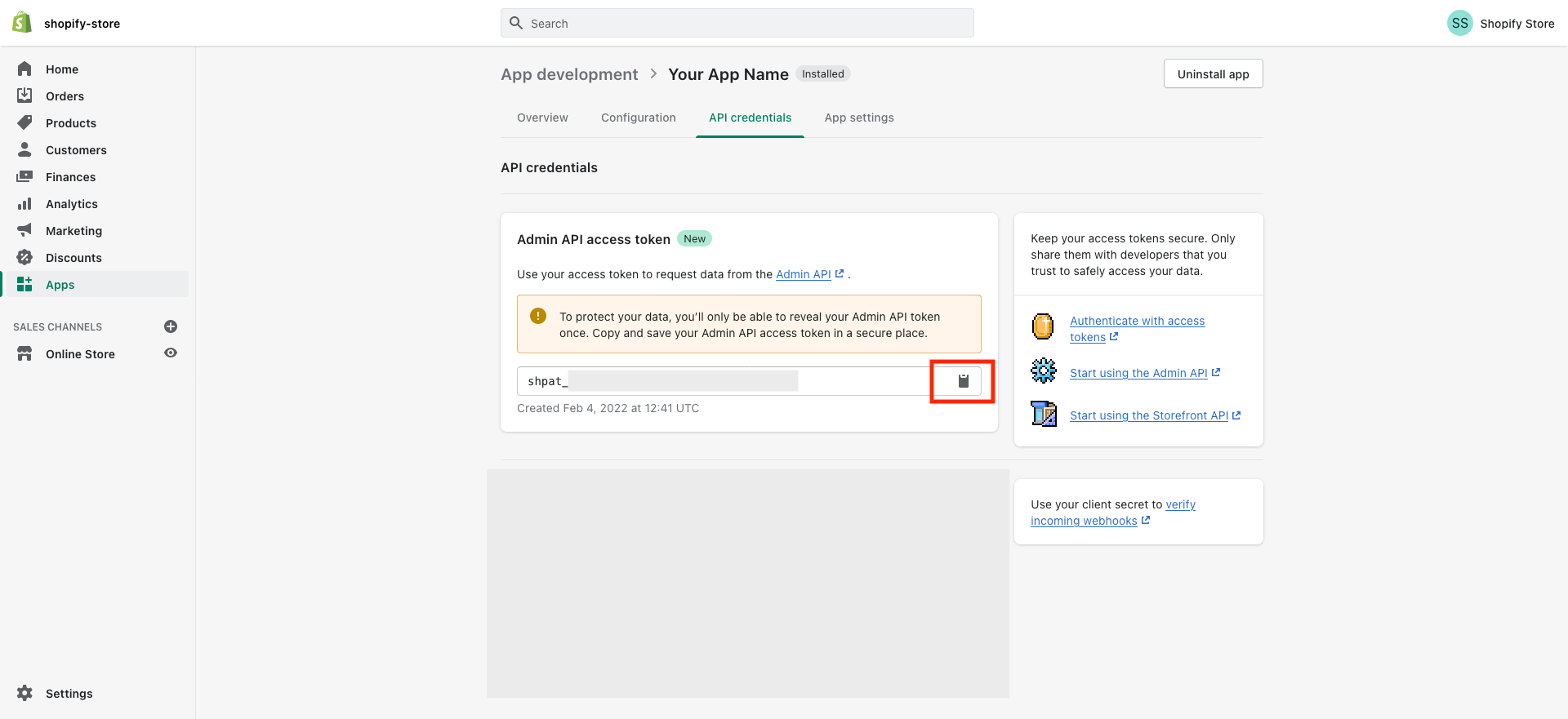
1.14 Copy the "Admin API access token" by clicking on the clipboard icon
Step-2: Connect Shopify to your Account
2.1 In your Account go to Settings > Integrations and click on "Connect" under Shopify

2.2 Paste the "Admin API access token" you copied in Step-1.14, enter "Name of your Shopify store" and click "Connect"

2.3 Your Shopify integration is done! ?

Related Articles
- Automatic abandoned cart checkout emails for online store
- Shopify Elements in Omnix
- How To Use Shopify Variables
- Shopify to Omnix (Migration Guide)