Opportunity Forecasting helps you predict future revenue based on your pipeline data. By combining opportunity value, close dates, and probability, you get a clear, real-time view of what is likely to close and when.
This feature is available inside the Forecast tab under Opportunities (currently in Labs).
TABLE OF CONTENTS
- What is Opportunity Forecasting?
- How Forecasting Works
- Forecast Views
- Risk Classification
- Data Hygiene Insights
- Filters and Drilldowns
- Permissions
- Best Practices
- Notes
- Related Articles
What is Opportunity Forecasting?
Opportunity Forecasting estimates future revenue using:
Opportunity Value (deal amount)
Expected Close Date (for open opportunities)
Close Date (for won opportunities)
Probability (likelihood of closing)
The system automatically calculates Expected Revenue using:
Expected Revenue = Opportunity Value × Probability
This removes the need for manual tracking and gives you a dynamic forecast that updates as your pipeline changes.
How Forecasting Works
Probability Source
Forecasting uses probability in the following order: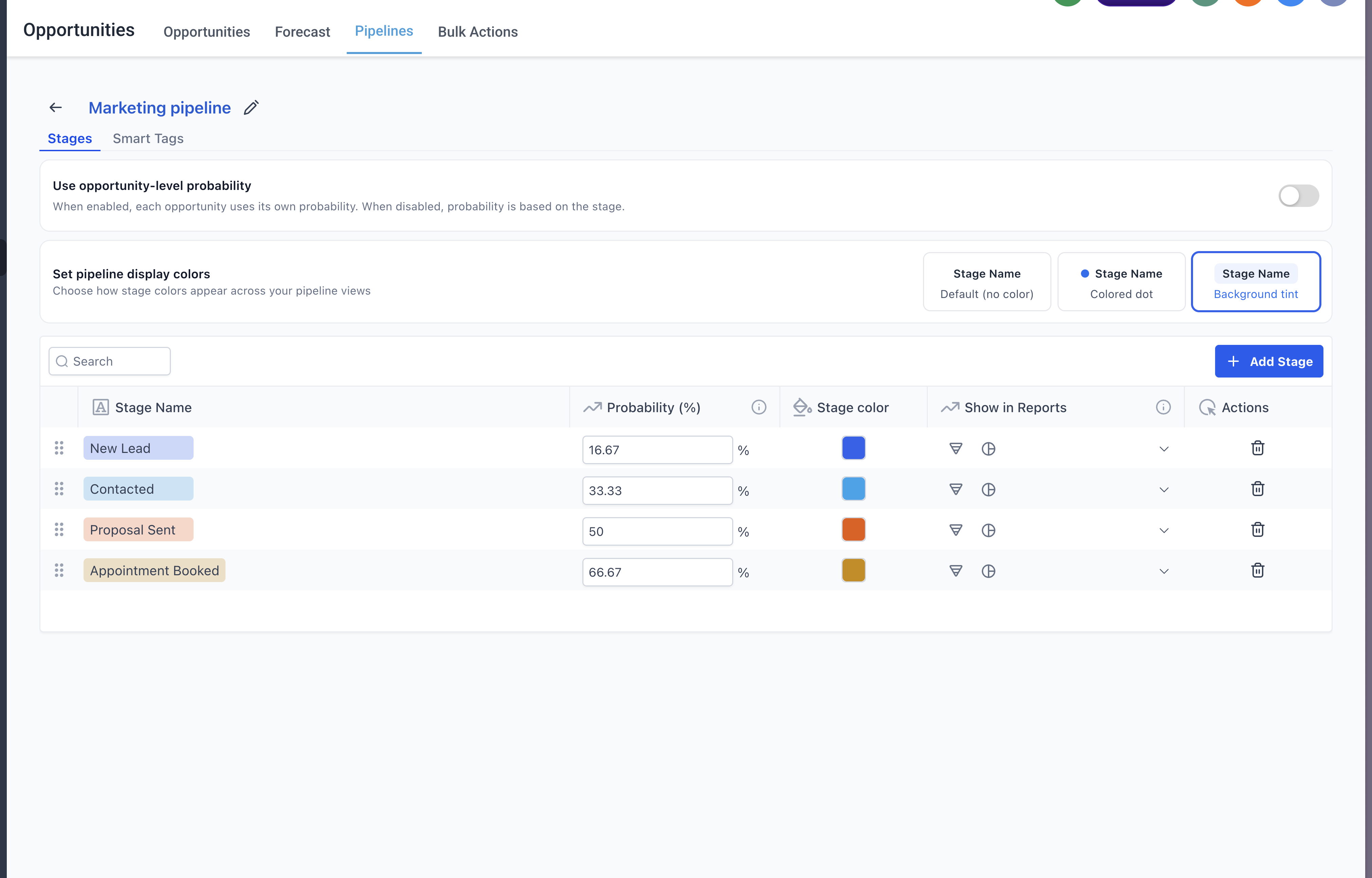
Opportunity-level probability (if enabled and set)
Otherwise, stage-level probability
If both exist, opportunity-level probability takes precedence.
Revenue Calculations
Max Potential Revenue = Total value of all open opportunities
Expected Revenue = Weighted value based on probability
Won Revenue = Revenue from closed-won opportunities
Inclusion Rules
Open opportunities are included using Expected Close Date
Won opportunities use the Closed Date (not Expected Close Date)
Lost opportunities are excluded from forecasting
Opportunities without Expected Close Date are excluded from forecast calculations
Forecast Views
1. Summary View
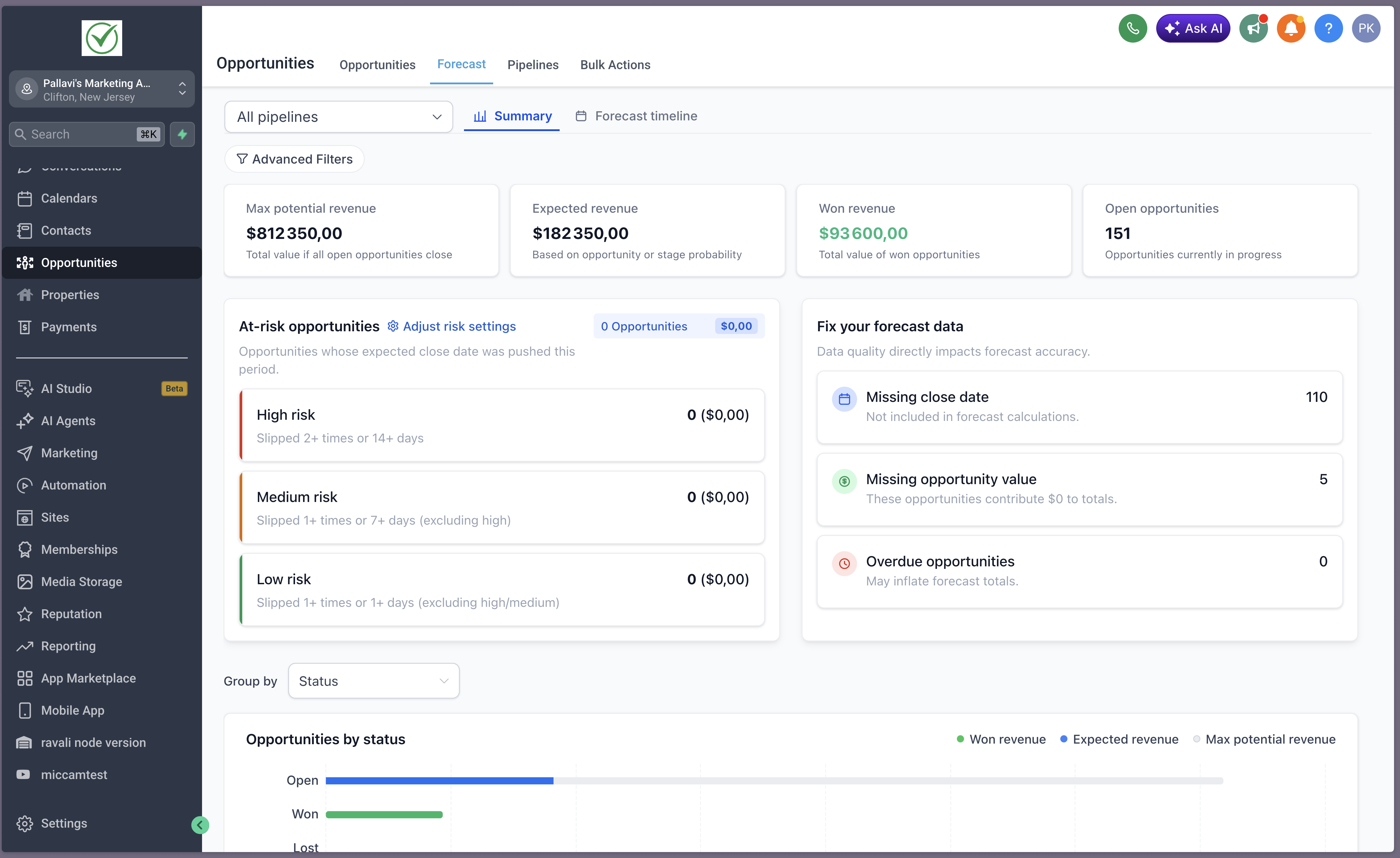
Summary tab is not visible to users who do not have permissions to view the opportunity value.
The Summary view provides a high-level snapshot of your pipeline:
Revenue metrics (Max, Expected, Won)
Open opportunities count
At-risk opportunities (High / Medium / Low)
Data hygiene insights (missing data, overdue deals)
2. Forecast Timeline
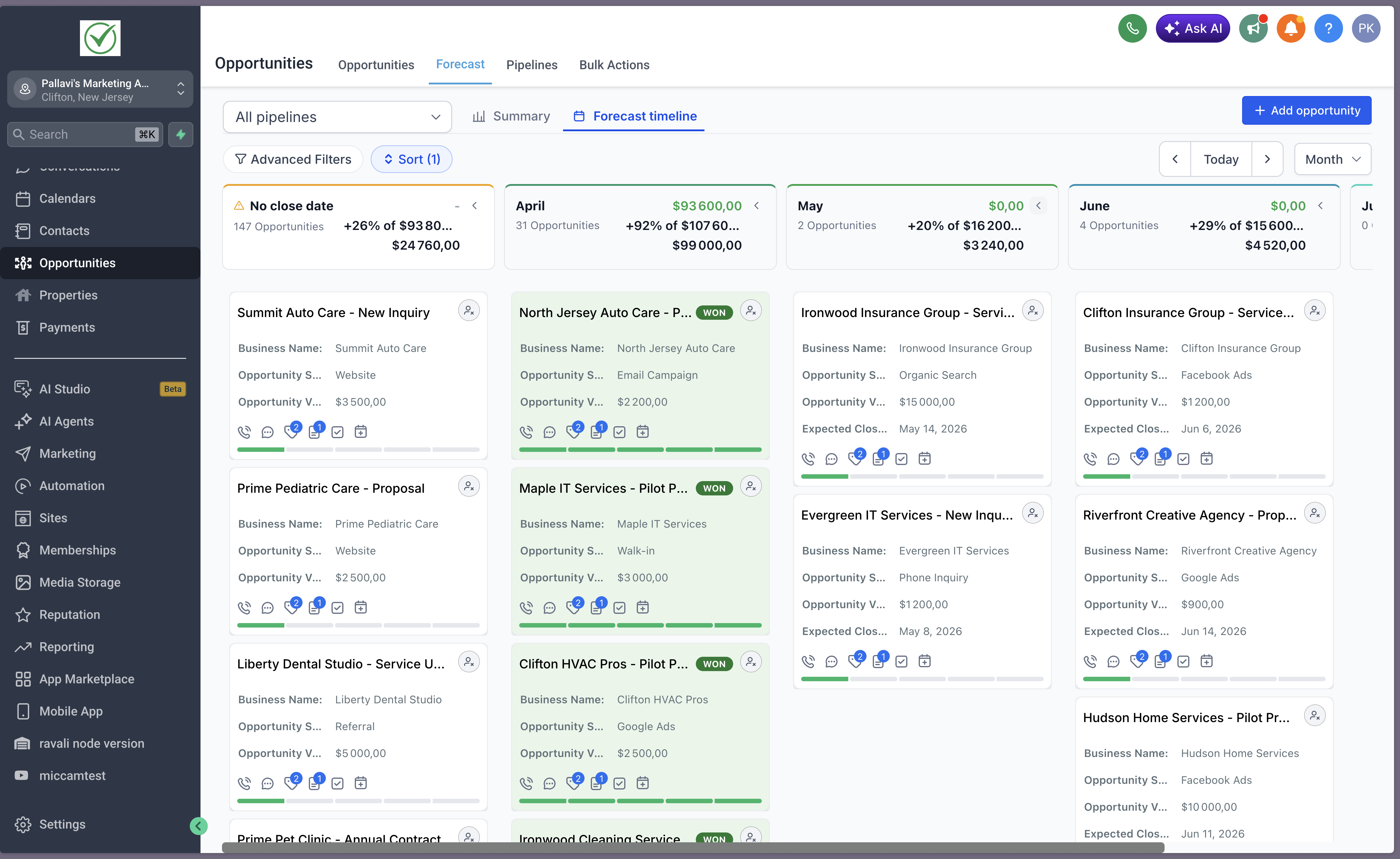
The Forecast Timeline shows how opportunities are distributed over time.
Group opportunities by Expected Close Date
View data by:
Week
Month
Quarter
Switch between time ranges without changing underlying data
Risk Classification
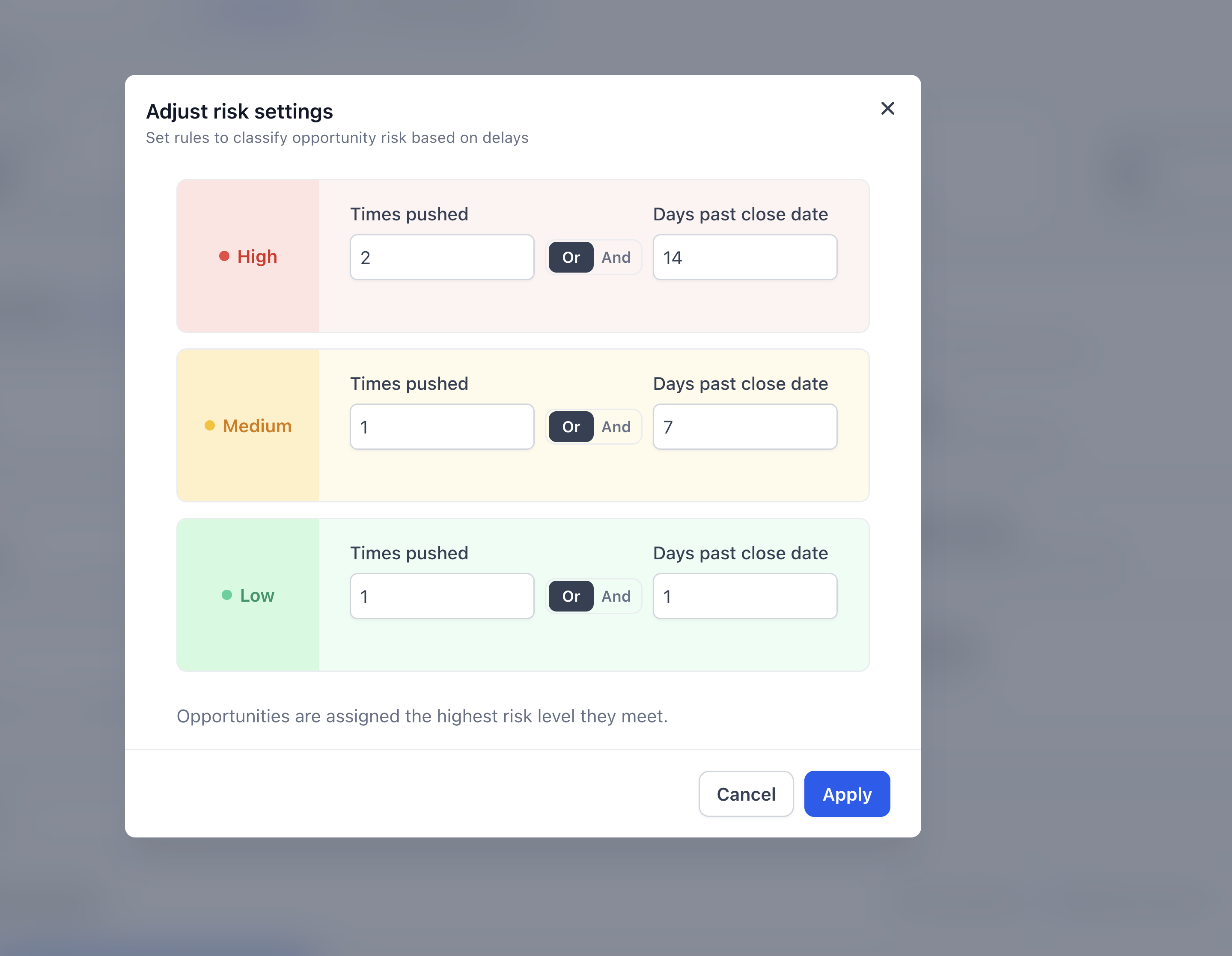
Opportunities are automatically categorized based on delays and slippage:
Times pushed = number of times Expected Close Date is moved forward
Days past close date = how overdue the opportunity is
Each risk level supports configurable rules using AND / OR logic.
High Risk
Medium Risk
Low Risk
If an opportunity meets multiple conditions, it is assigned the highest applicable risk level.
Data Hygiene Insights
Forecasting highlights data gaps that impact accuracy:
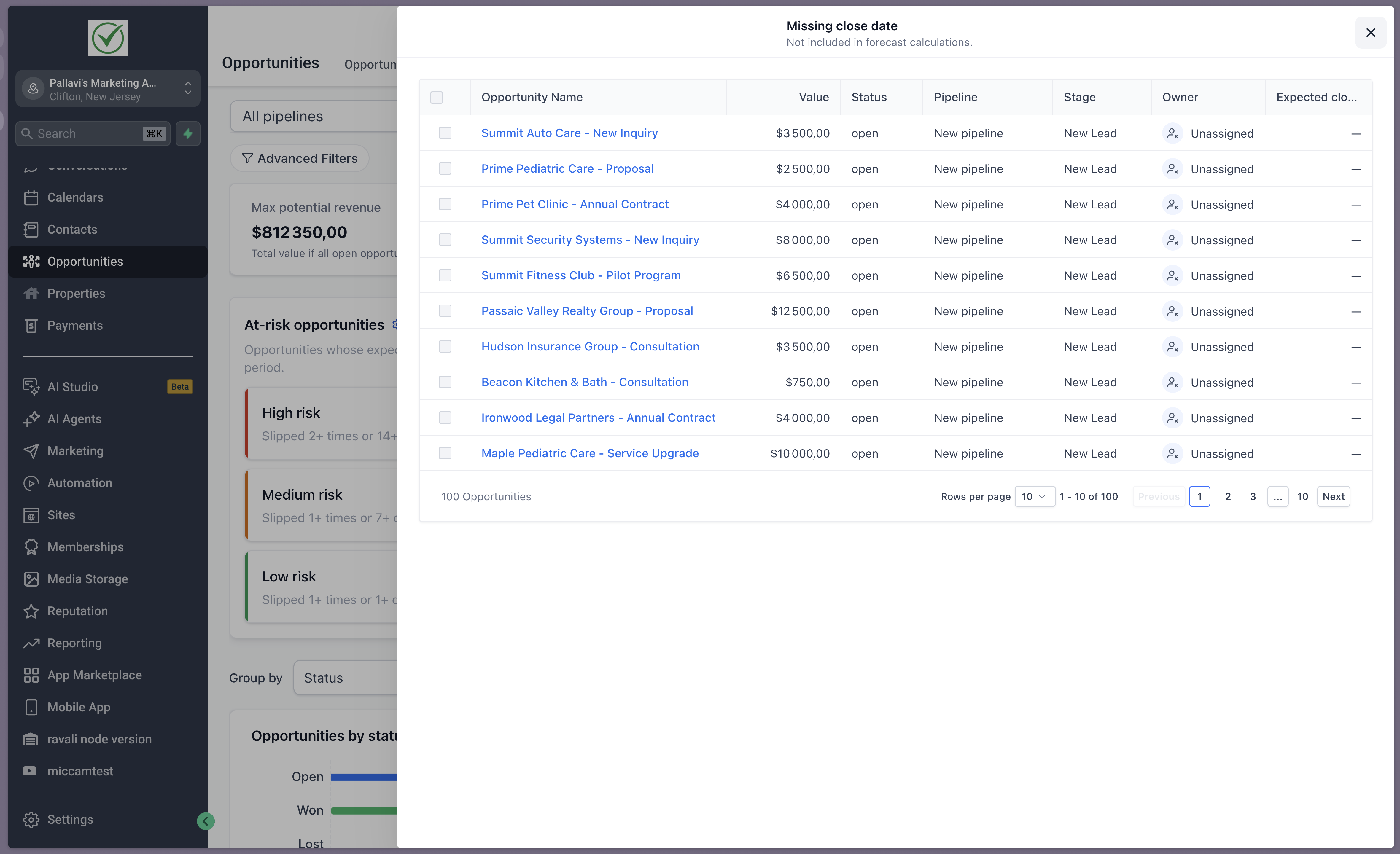
Missing close date
Missing opportunity value
Overdue opportunities
Each insight is:
Clickable → opens filtered opportunities
Filters and Drilldowns
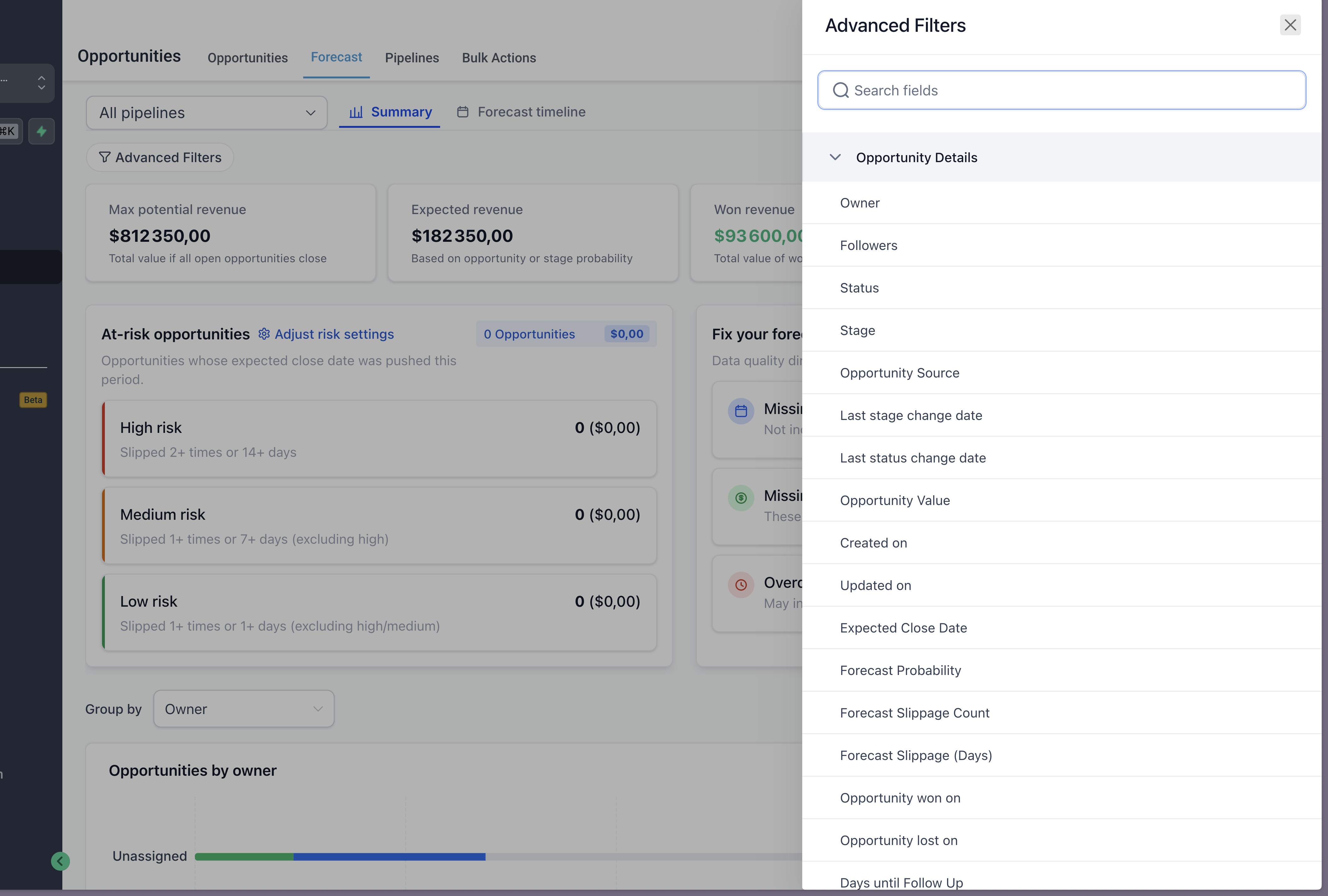
Apply Advanced Filters (Owner, Status, Stage, Close Date, etc.)
Filters persist across:
Summary view
Forecast Timeline
Click any metric or data point to drill down into opportunities
Edit opportunities directly from drilldown views
Permissions
Summary tab is not visible to users who do not have permissions to view the opportunity value.
Users: Access to Forecast Timeline only
Best Practices
Always fill in:
Opportunity Value
Expected Close Date
Use opportunity-level probability for more accurate forecasting when needed
Regularly review:
Risk insights
Data hygiene cards
Adjust risk settings based on your sales cycle
Notes
Forecast accuracy depends on complete and up-to-date data
Opportunities are assigned the highest risk level they qualify for
Moving Expected Close Date forward increases slippage count