Overview
We've introduced a new agency-level setting that gives you centralized control over Email Services across all your sub-accounts. This update improves governance, simplifies management, and makes email configuration easier to find and oversee from one place.
What's New
A new toggle has been added under:
Agency View → Settings → Email Services → Advanced Settings
This toggle controls whether the "Add Email Service" button is visible and available within sub-accounts. Agencies can now enable or disable access to Email Services for sub-accounts directly from this centralized setting — no need to manage it account by account.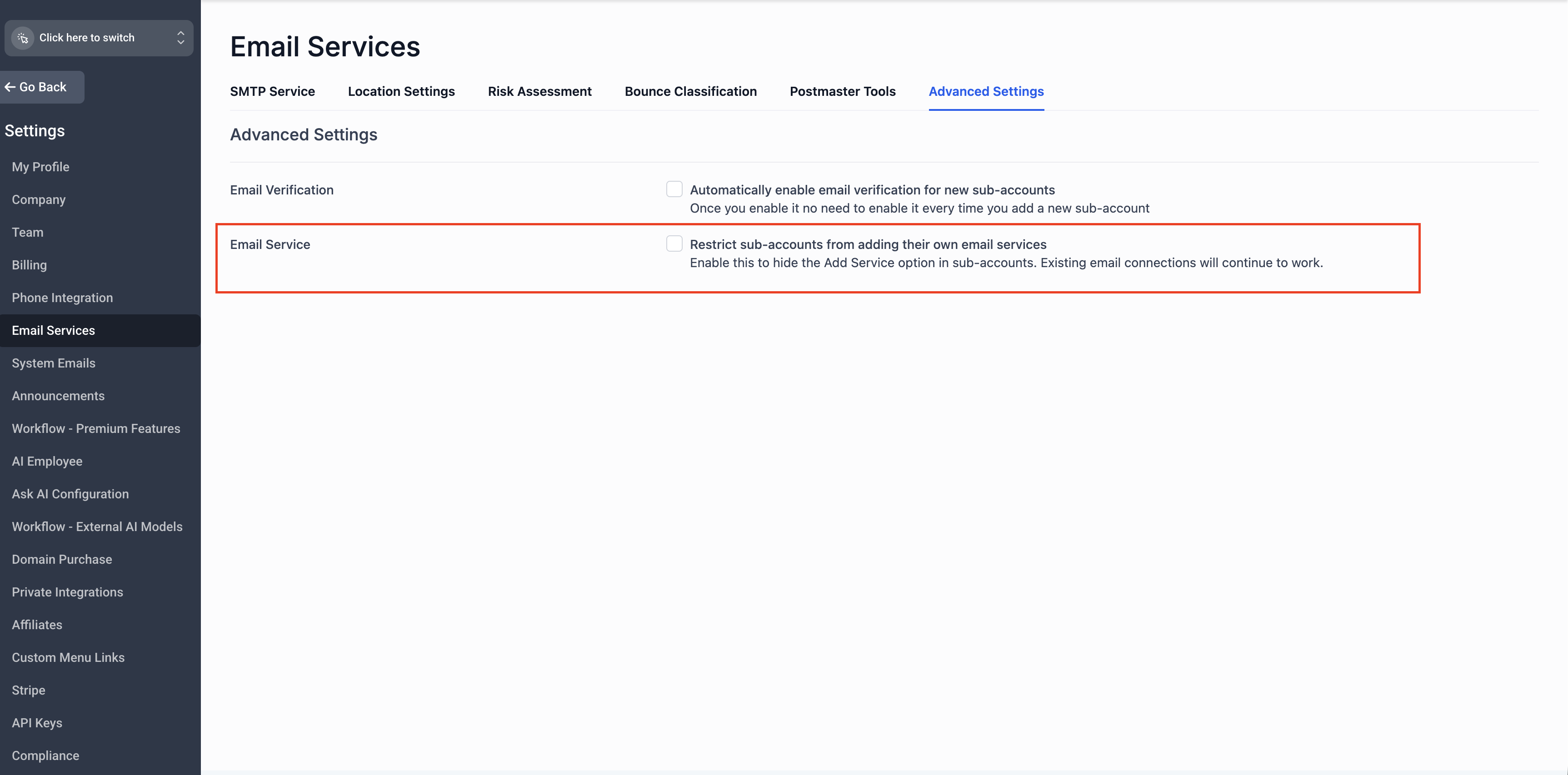
 How It Works
For New Agencies
- The Email Services control toggle is enabled by default
- The "Add Services" button will be hidden in sub-accounts
- Sub-account access to Email Services is governed entirely by the agency-level setting
For Existing Agencies
- The Email Services control toggle is disabled by default
- The "Add Services" button remains visible in sub-accounts, preserving your current workflow
- No disruption to any sub-accounts already using Email Services
No action is required for existing sub-accounts that are already set up with Email Services. Their configurations will continue to work as expected.
Managing Email Services for a Specific Sub-Account
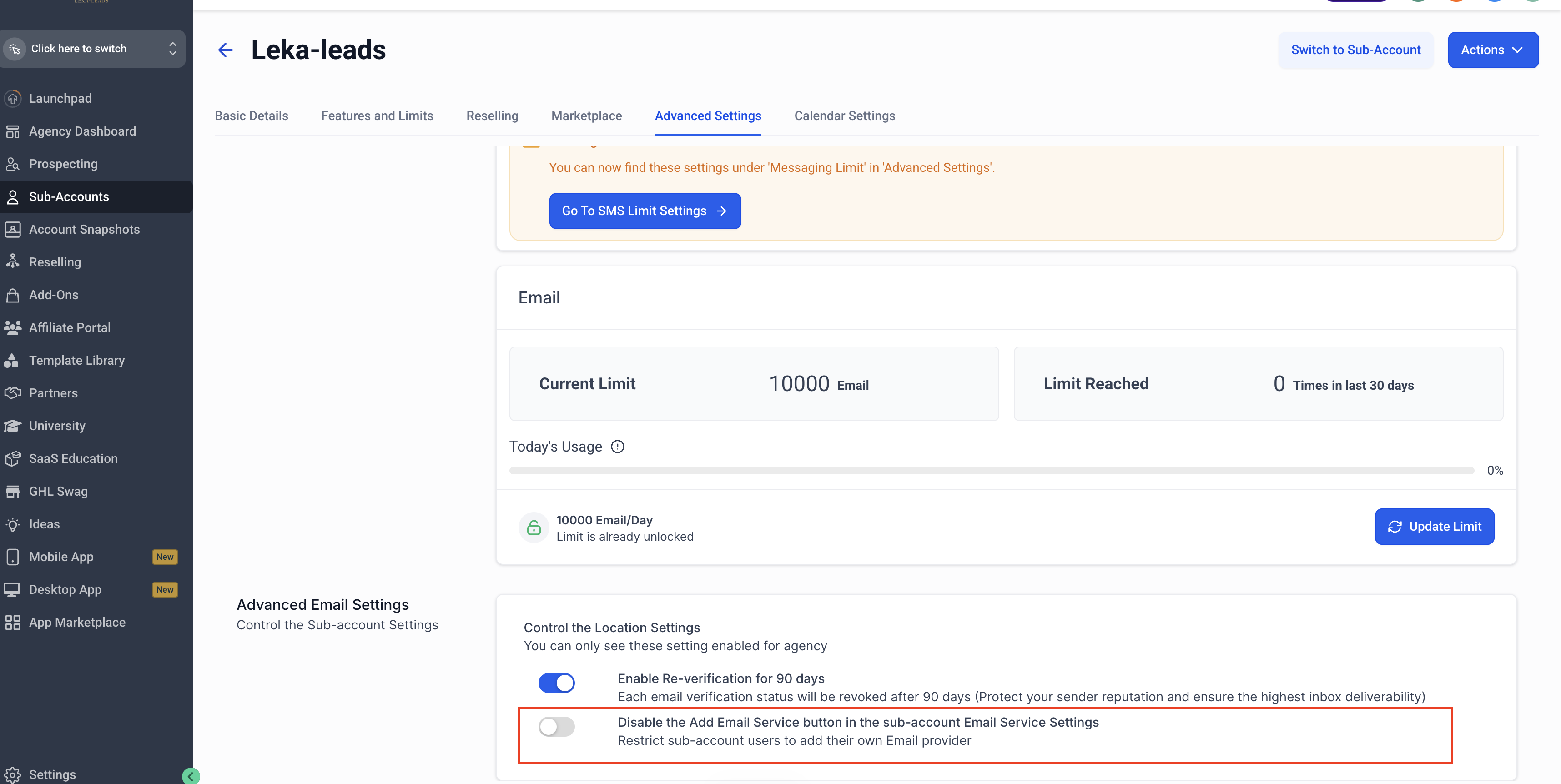
If you want to enable or disable the "Add Email Service" button for an individual sub-account rather than applying the setting globally, you can do so at the sub-account level:
- Go to Agency View → Sub-Accounts
- Select the sub-account you want to configure
- Navigate to Advanced Settings → Disable the "Add Email Service" button in the sub-account Email Service Settings
- Toggle the setting on or off based on your preference for that sub-account
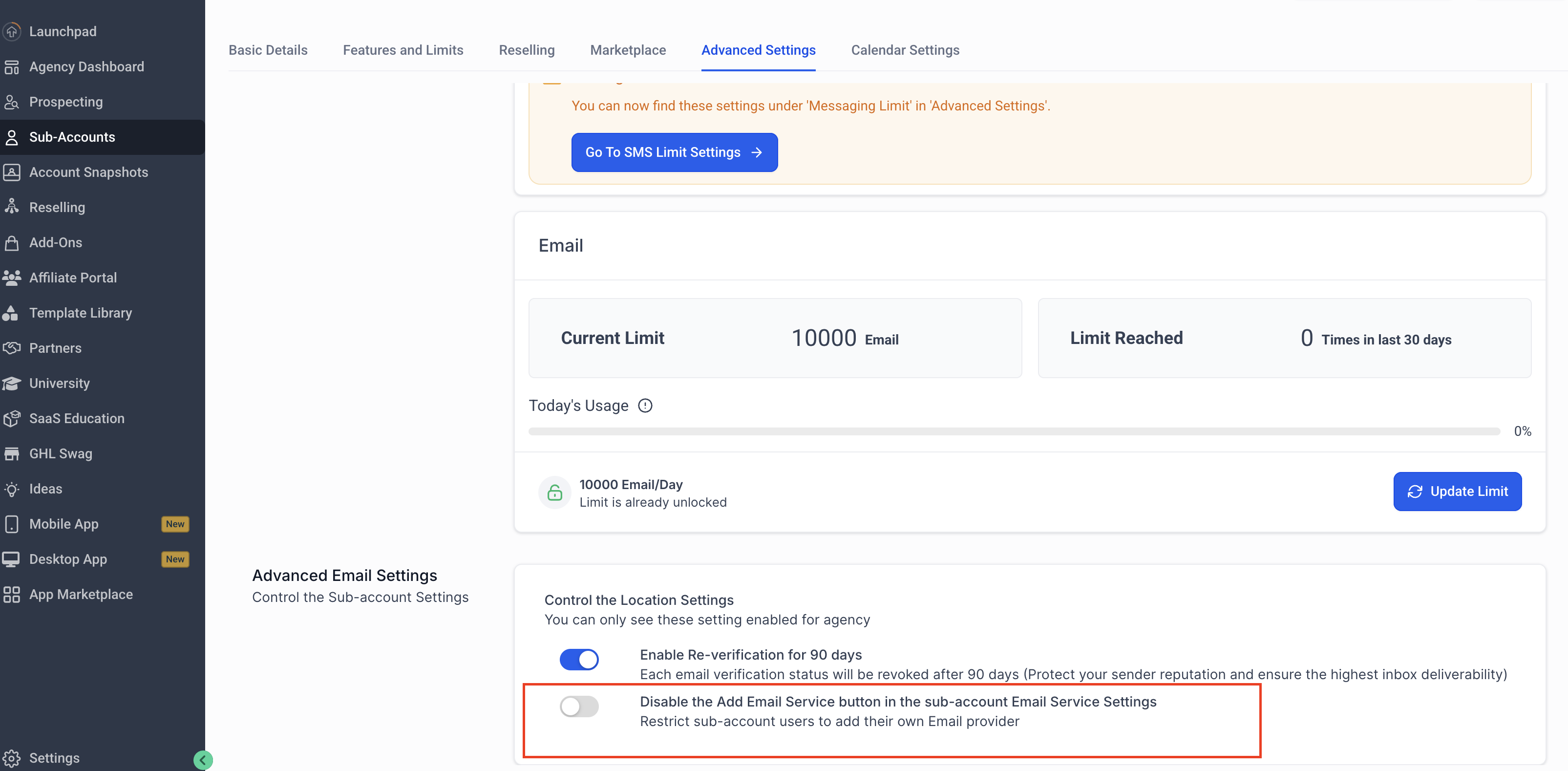
This allows you to fine-tune access for specific sub-accounts, overriding the global agency-level setting where needed.
Key Benefits
Centralized Governance : Manage Email Services availability across all sub-accounts from a single agency-level toggle, rather than handling it individually per account.
Better Discoverability :All email-related controls are now organized under Email Services in Agency Settings, making it easier to find and manage configurations in one place.
Flexible Overrides — Sub-accounts can still respect and, where applicable, override the agency-level configuration to accommodate unique needs.
Frequently Asked Questions
Will this affect my existing sub-accounts that are already using Email Services? No. Existing sub-accounts with Email Services already configured are not affected. This change only governs the visibility of the "Add Services" button going forward.
I'm an existing agency. Do I need to do anything? No action is required. The toggle defaults to disabled for existing agencies, so your current setup remains unchanged.
Can sub-accounts still manage their own Email Services settings? Yes. Sub-accounts can still respect and override the agency-level configuration where applicable.
Where do I find this new setting? Navigate to Agency View → Settings → Email Services → Advanced Settings to find the new toggle.