An email template is a reusable email layout or design that can be used multiple times when sending emails.
Instead of creating an email from scratch every time, you can use a template that already includes:
- Pre-designed layout and structure
- Common content (e.g., headers, footers, branding)
- Styling such as colors, fonts, and formatting
You can also choose a template from template library and customise it per requirement.
TABLE OF CONTENTS
Steps to edit a template
- From the left-hand menu, go to Marketing
- Click on Email Marketing
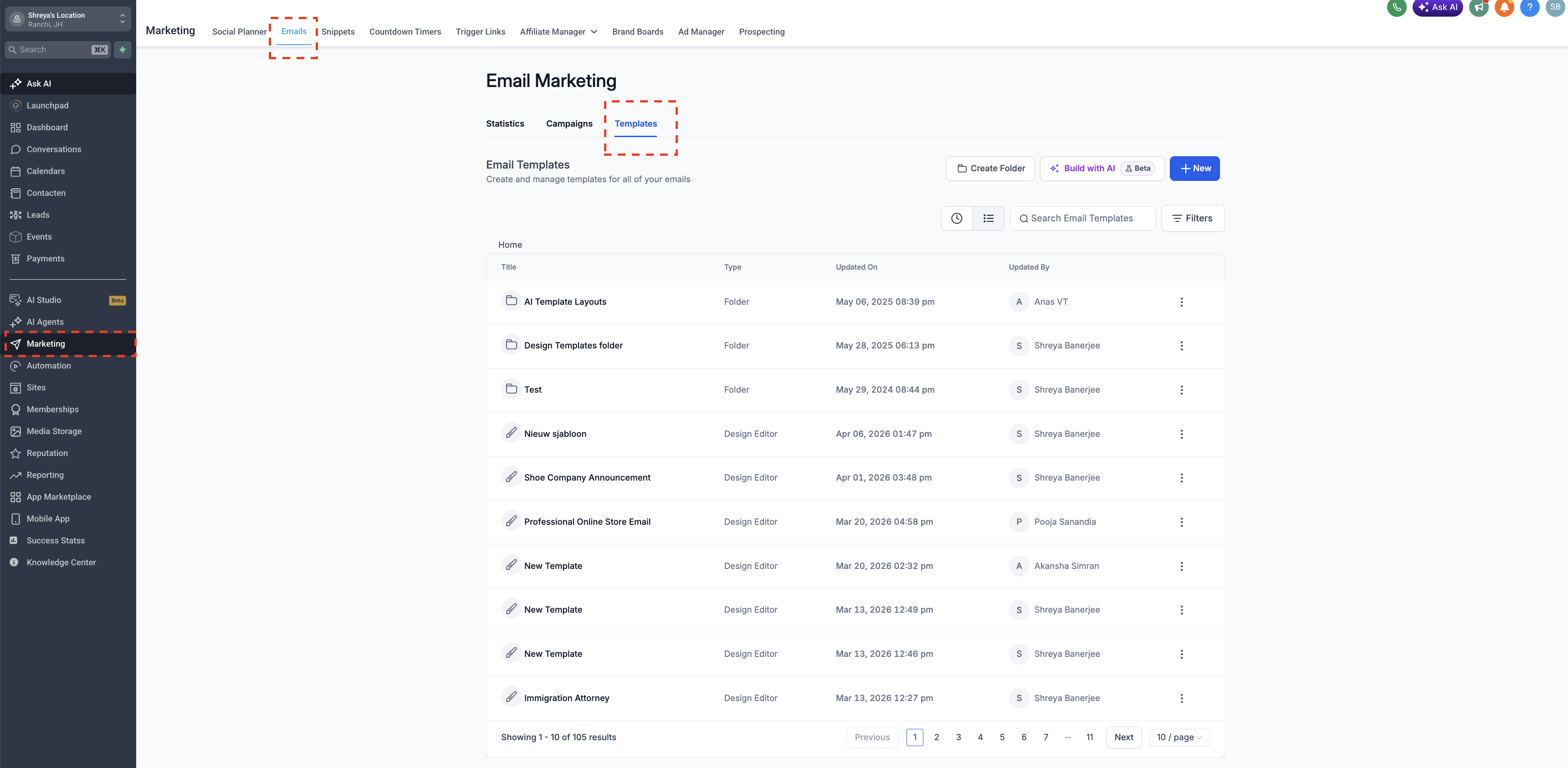
2. Open Templates
- Click on Templates
3. Select the Template
- Find the template you want to edit
- Double-click the template, or
4. Make Changes
- Update the content, layout, or design as needed
5. Save Your Changes
- Once done, make sure to save the updated template or make sure autosave is enabled.
Tips
Review your template before saving to ensure formatting looks correct
Test the email if needed before using it in a campaign
Make sure you are using custom values properly