This article will show you how to use the new Entity History feature in the Listings platform. Integrated with Omnix’s Audit Logs, it gives you full visibility into all updates made to listings — what changed, who changed it, and when. Perfect for compliance and accountability!
TABLE OF CONTENTS
- What is Entity History in Listings?
- Key Benefits of Entity History
- How to Access and Use Entity History in Audit Logs
- Entity History Features Explained
- Frequently Asked Questions
- Next Steps
What is Entity History in Listings?
Entity History provides a detailed audit trail for each listing record. Every change — whether user-initiated or system-generated — is logged and visible within Omnix’s Audit Logs. This enhances transparency and simplifies compliance tracking.
Key Benefits of Entity History
Understand how Entity History helps improve operational oversight and data transparency.
View a complete historical log of updates for each listing entity.
Track changes by user or system process for full accountability.
Support internal audits and compliance with real-time records.
Access logs directly in the Listings interface via Audit Logs.
Enhance collaboration with clear documentation of data edits.
Prepare for future system enhancements thanks to modular logging.
How to Access and Use Entity History in Audit Logs
Learn how to locate and navigate the Entity History within the Audit Panel to track listing updates.
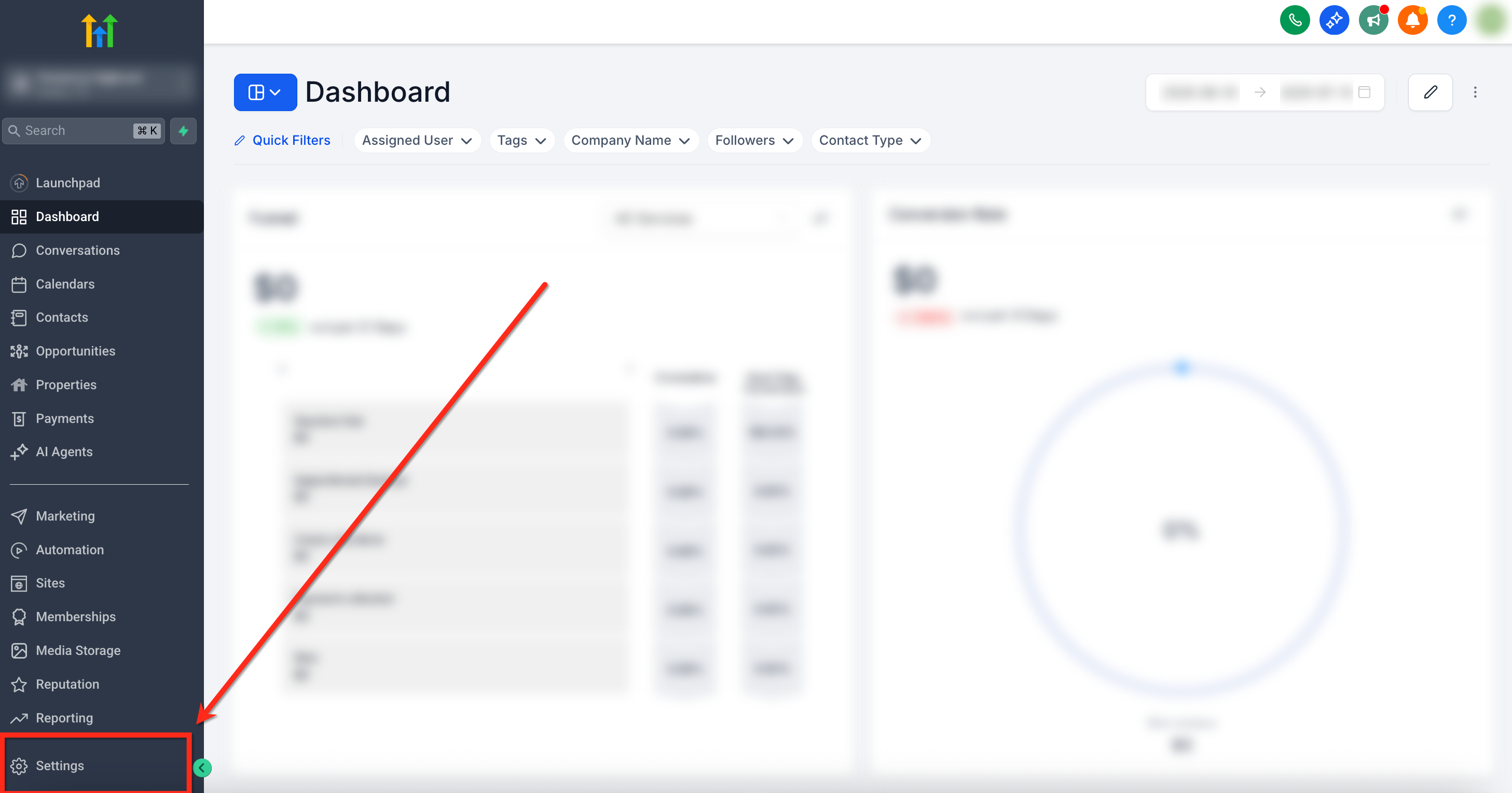
In your sub‑account dashboard, click Settings in the left sidebar
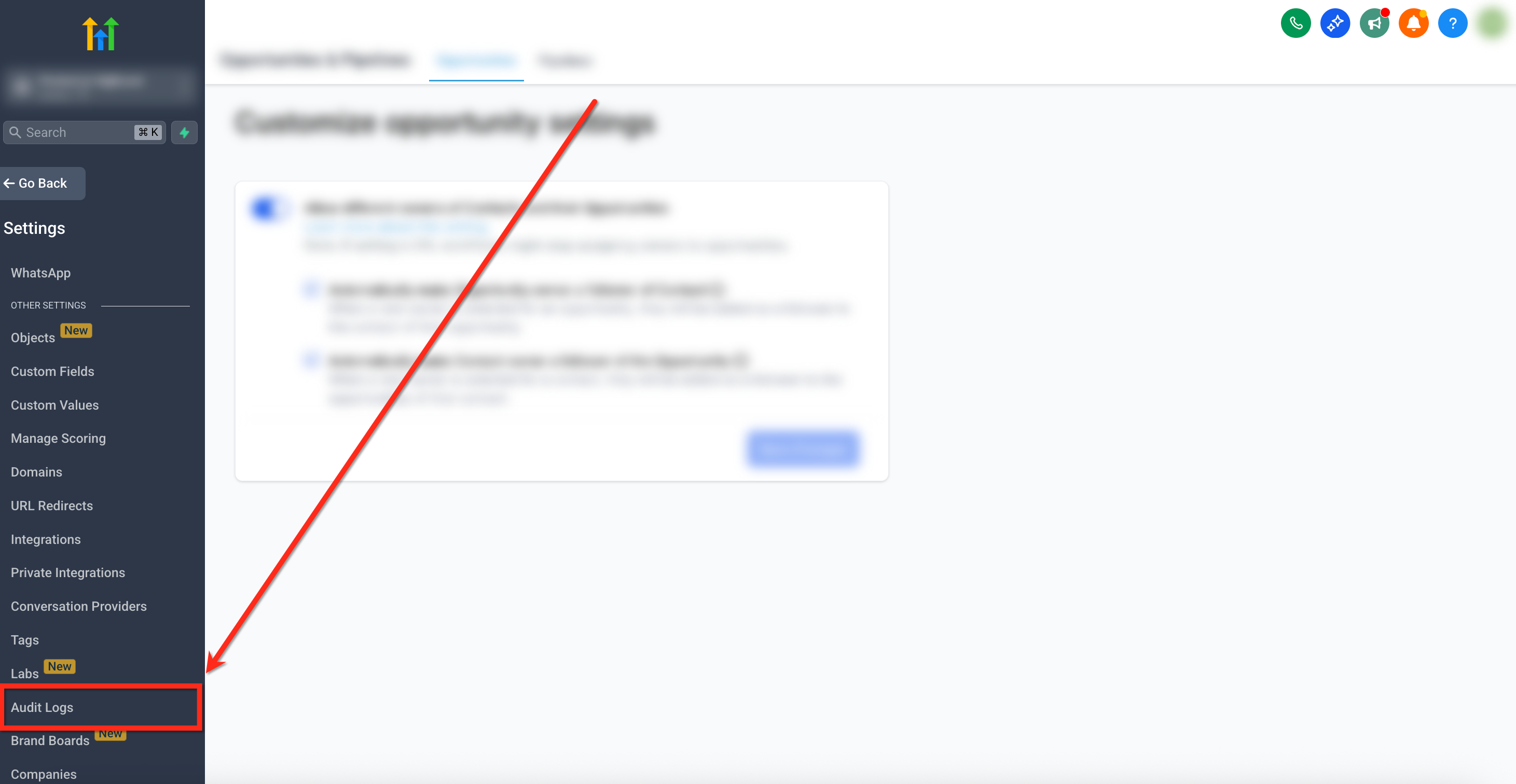
Within Settings, choose Audit Logs
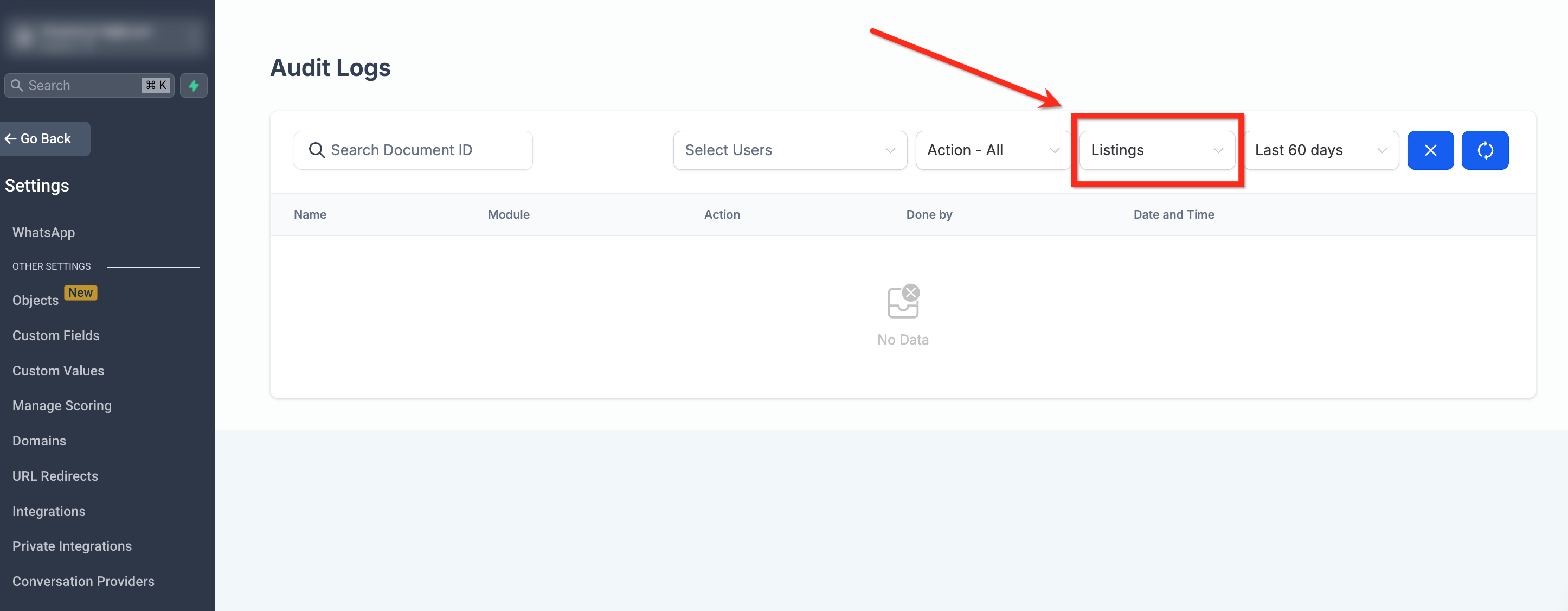
In the Module dropdown filter, select Listings
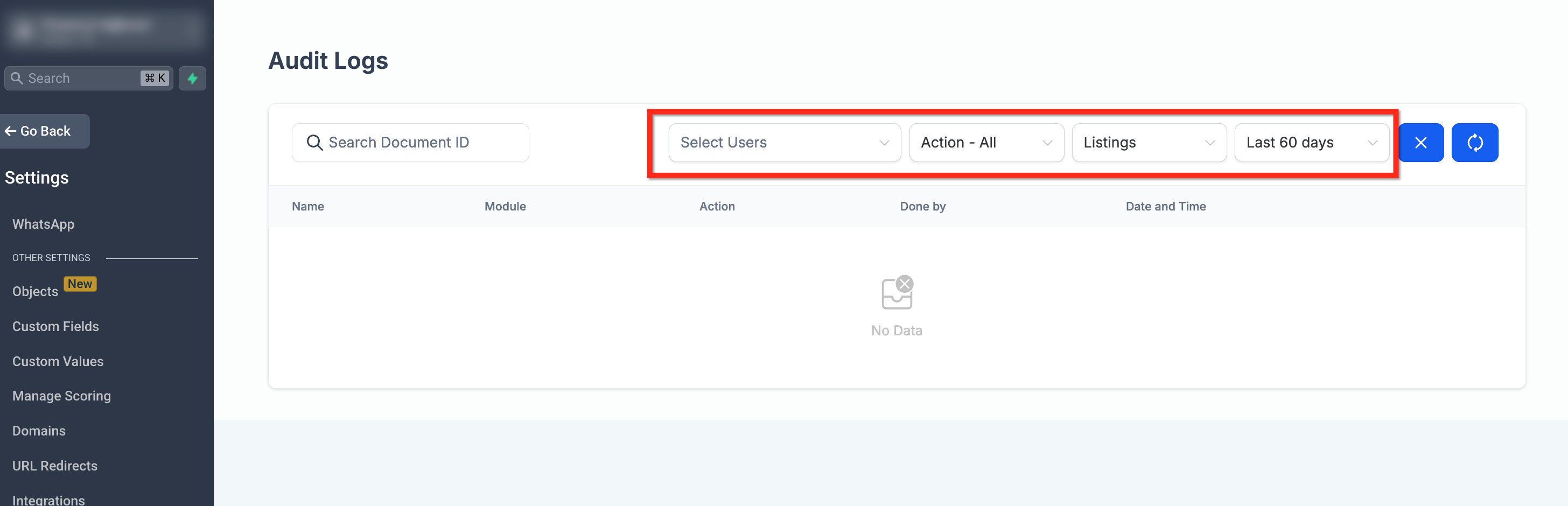
Use filters to sort by entity ID, timestamp, or user
Click on an entity to view its full update timeline and data changes.
Entity History Features Explained
Understand the technical capabilities and structure of the Entity History feature.
Augmented Audit Details
Captures user ID, timestamp, entity ID, and detailed before-and-after data.
User Attribution
Easily identify who made changes — users are linked via unique IDs.
Modular Architecture
Future-ready design supports integration with upcoming Listings features.
Custom Audit Trail
Broader tracking of listing actions beyond standard audit events.
Frequently Asked Questions
Q: Can I export Entity History logs?
No. Exporting Entity History logs through a public API is not currently supported.
Q: Who can see these logs?
Only users with Audit Log access permissions can view Entity History.
Q: Are deleted listings included?
Yes, deletions are tracked with before/after state snapshots.
Q: Can I see system-initiated changes?
Yes. Changes triggered by automation or workflows are labeled accordingly.