The Internationalization of Omnix has been a much-awaited feature by the community, and we are finally making it possible. This will allow Locations/Sub accounts to choose their preferred language for the CRM that best suits their business.
TABLE OF CONTENTS
- Where to set the Language Settings?
- Languages currently covered
- Product Areas Covered by the Internationalization
Where to set the Language Settings?
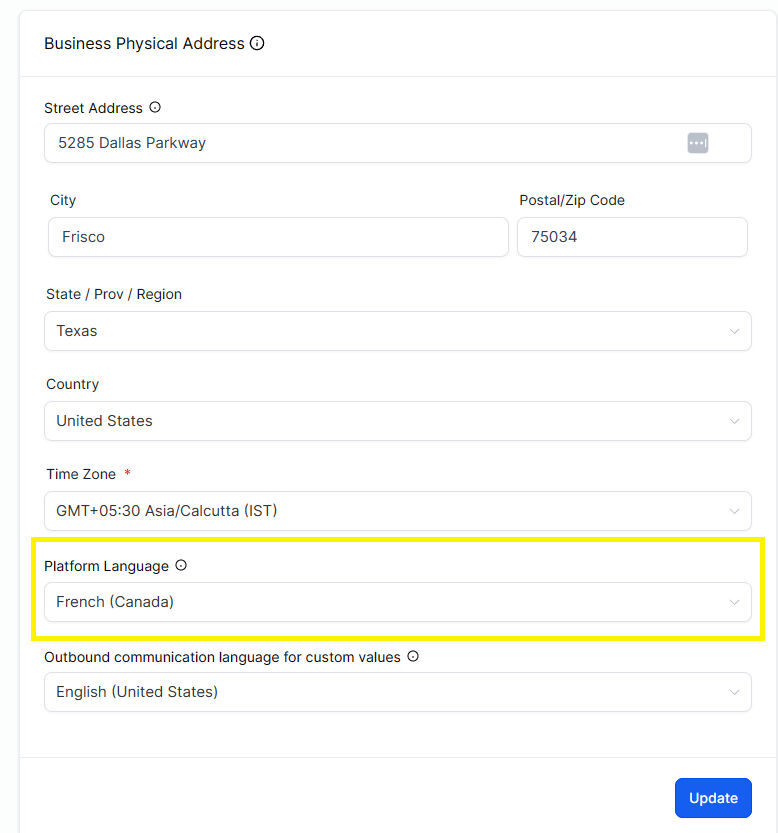
Locations can set their default language in Location Settings > Business Profile > Platform Language.
Users can override that language on Location Settings > My Profile > Platform Language.
Languages currently covered
- Spanish | Español
- German | Deutsch
- French (France) | Français
- French (Canada) | Français
- Portuguese (Portugal) | Português
- Portuguese (Brazil) | Português
- Italian | Italiano
- Dutch | Nederlands
- Swedish | Svenska
- Danish | Dansk
- Finnish | Suomi
- Norwegian | Norsk
Platform Language:

Notification titles and bodies are translated based on the recipient’s Platform Language.

Email notifications are localized per recipient, including subject lines and template content.

If a translation is missing, content safely falls back to English (en_US).
Product Areas Covered by the Internationalization
Anything marked as Y refers Yes they have been revamped to meet the quality.
If you find a better word for relevant phrase or word, please raise a ticket with screenshot and share good reason behind it. HL has tried to meet the quality by using professional translators and AI to build and grow the quality of languages.